iSentry: Less spam. More calm.
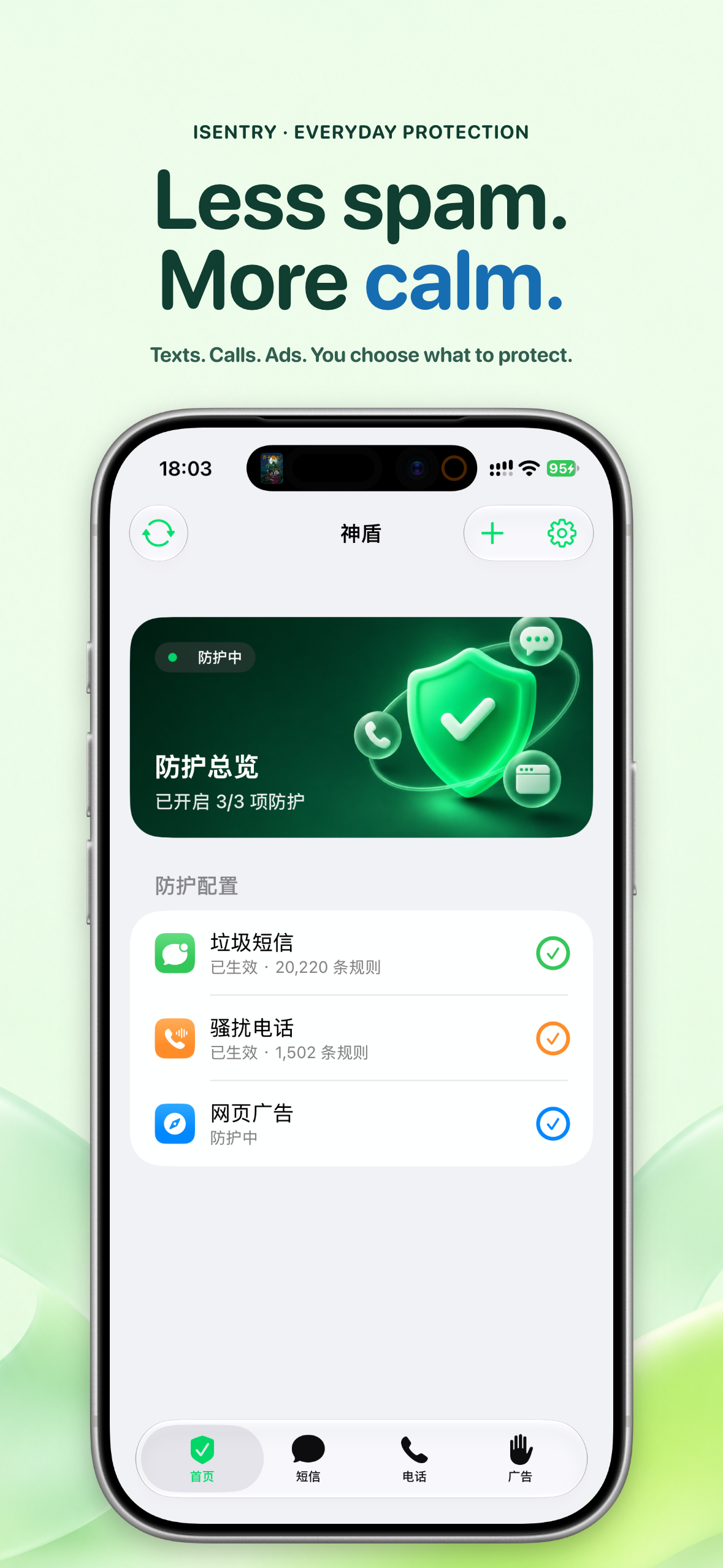
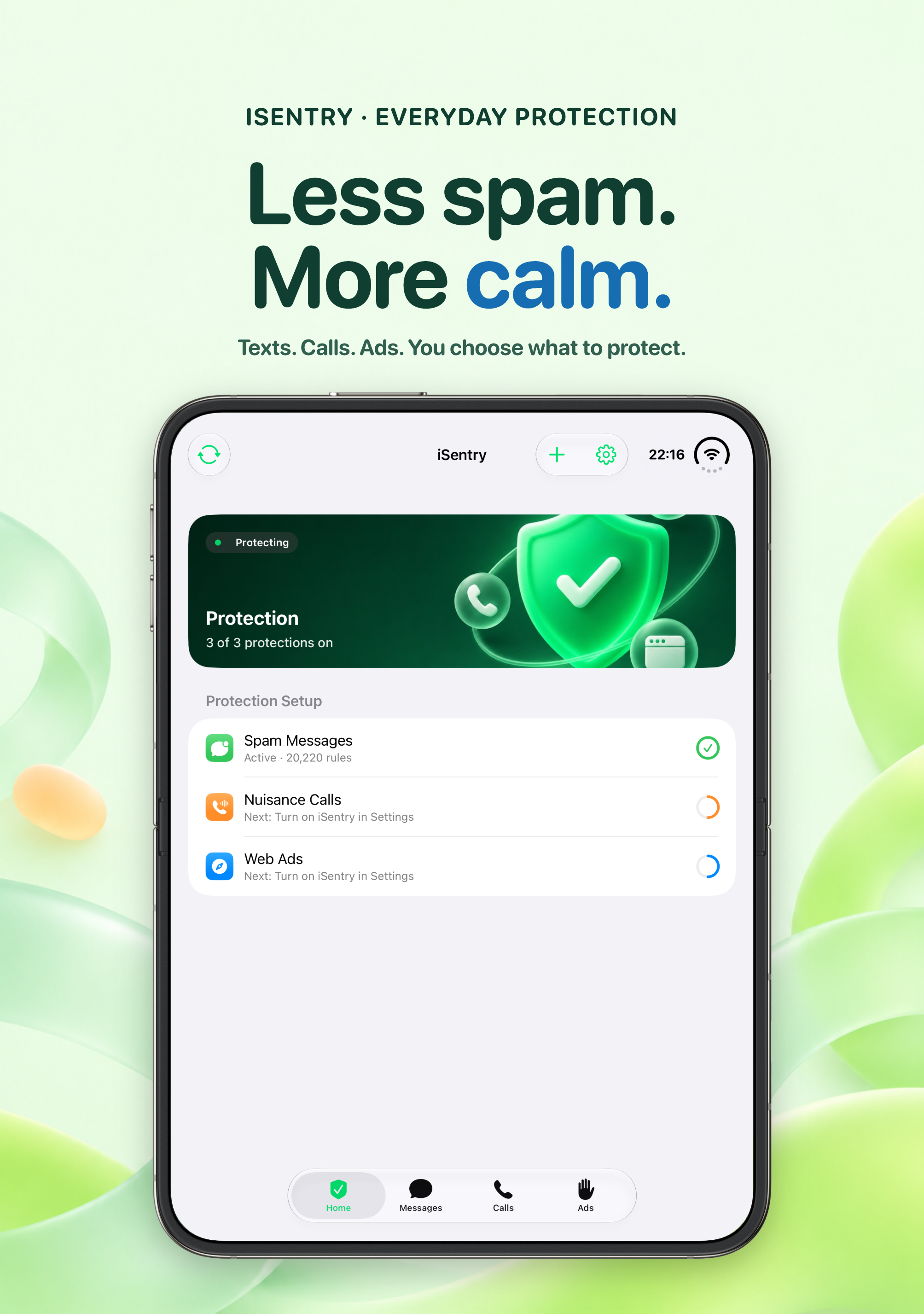
Less spam. More calm.
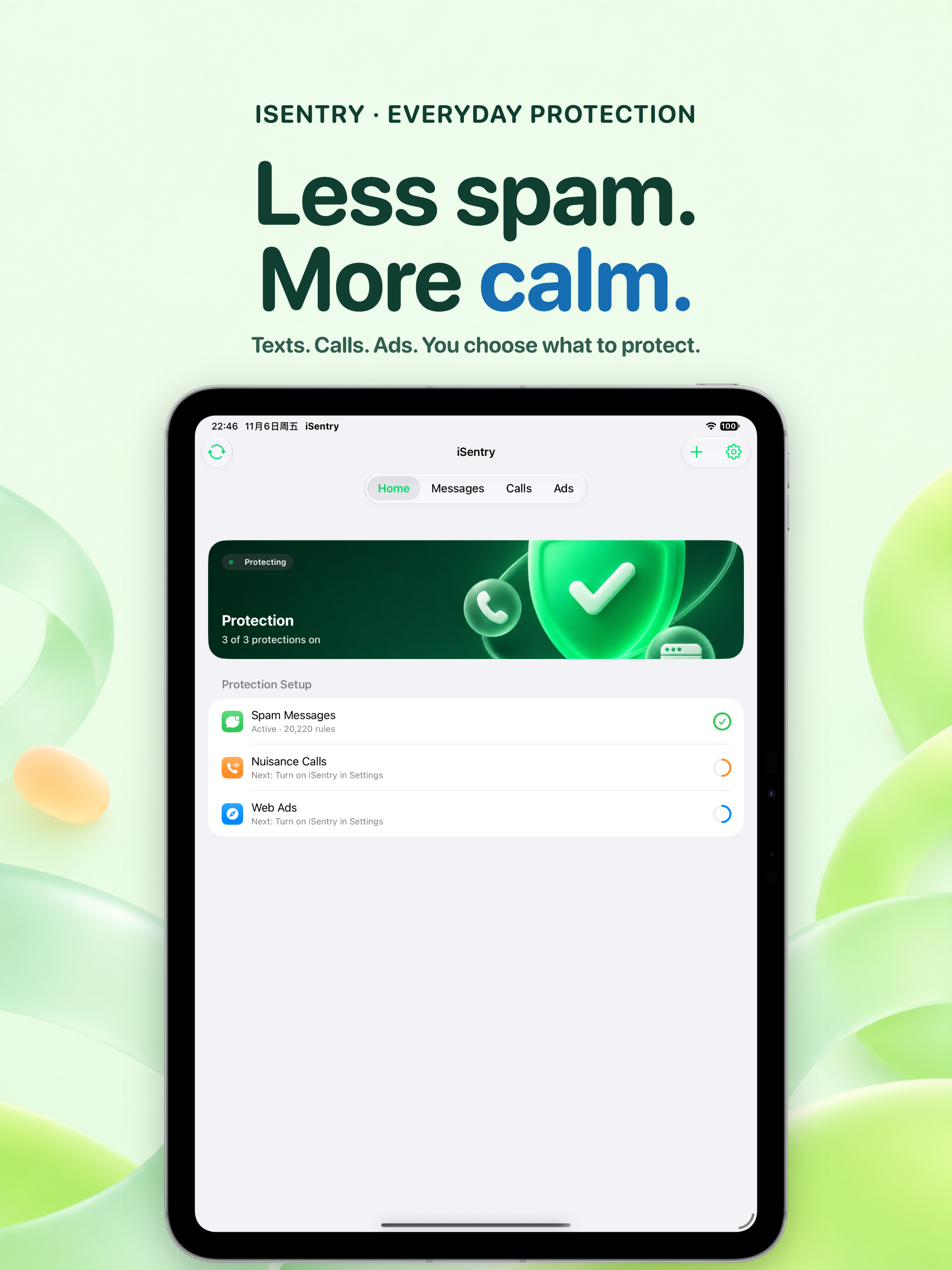
Spam texts pile up, unknown calls make you hesitate, and ads follow you across the web. iSentry puts three protections in one app — texts, calls and ads — each with its own switch. Everything is off by default; turn on what you need and leave the rest alone.
Every decision runs on your device. The three protection extensions never go online; they only read rule snapshots the app has prepared in advance. The app does not collect your messages, call history or browsing data.
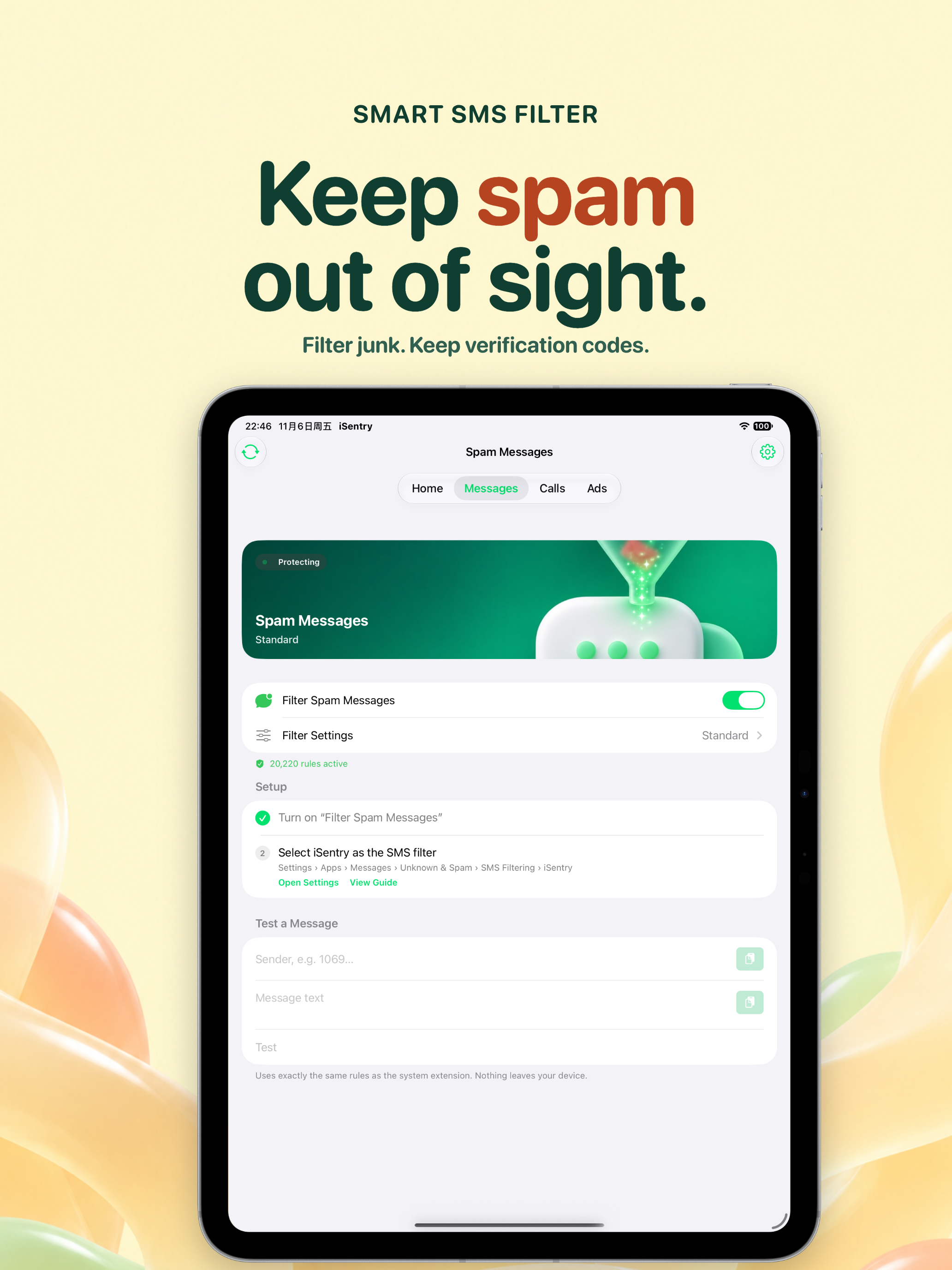
Keep spam out of sight
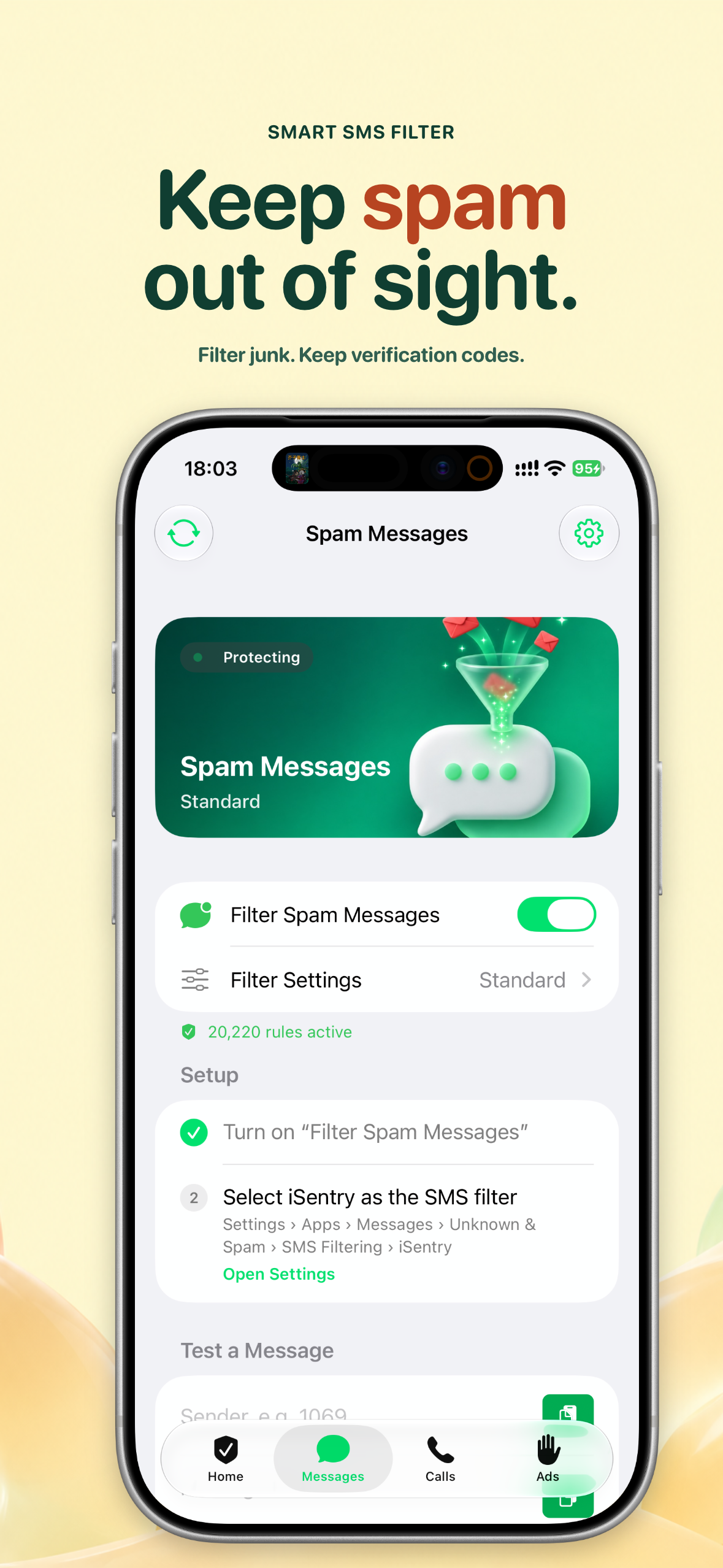
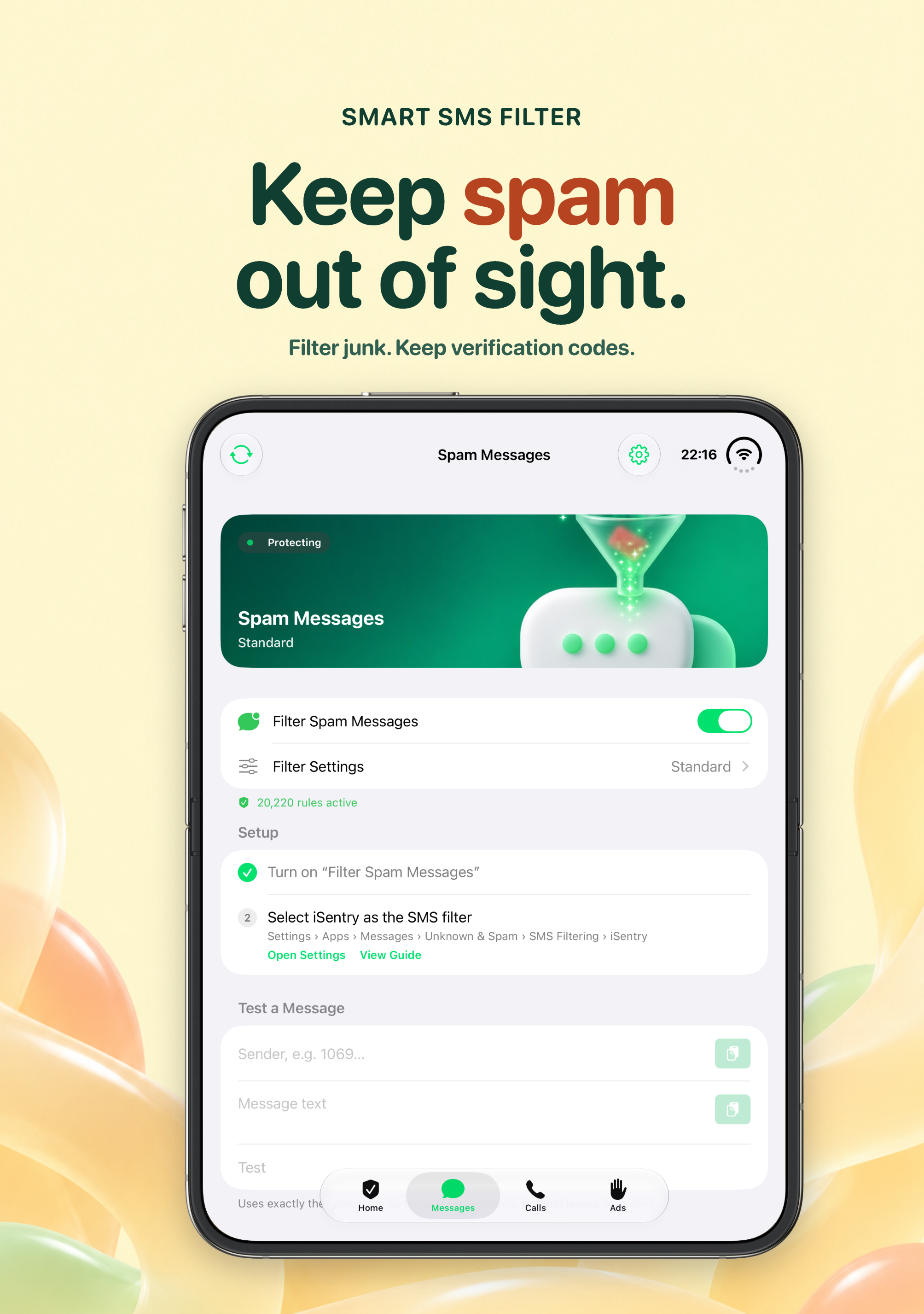
Turn on SMS filtering and Messages sorts itself: fraud and harassment go to “Junk”, marketing to “Promotional”, delivery and ride receipts to “Transactional”. More than 20,000 built-in rules work out of the box, with adjustable filtering levels, custom keywords and personal block/allow lists. Verification-code protection is on by default — texts carrying codes such as OTP with 4–8 digits are always let through.
Not sure how a message would be judged? The in-app SMS tester replays the full decision locally, with the exact rule behind each verdict.
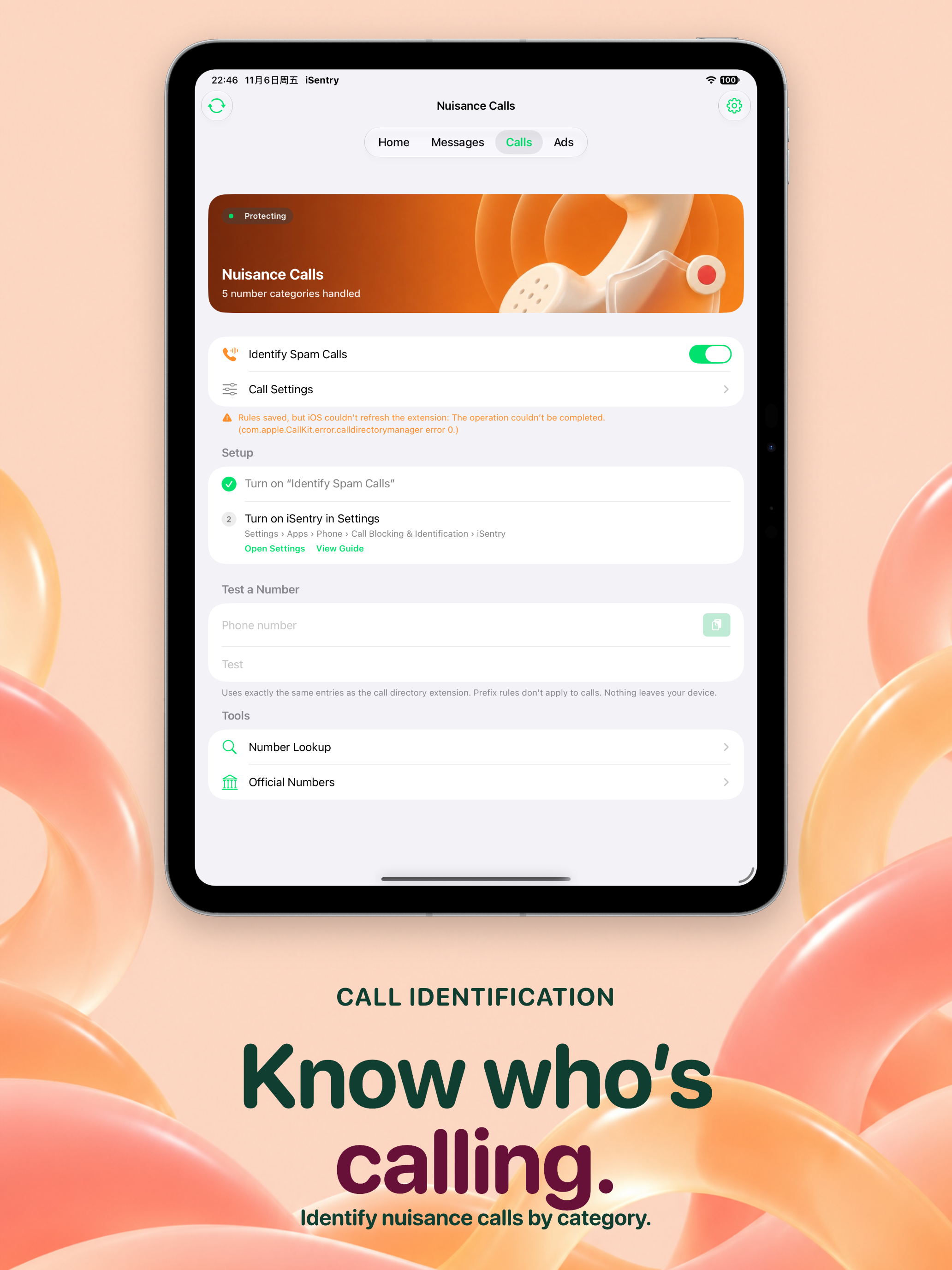
Know who’s calling
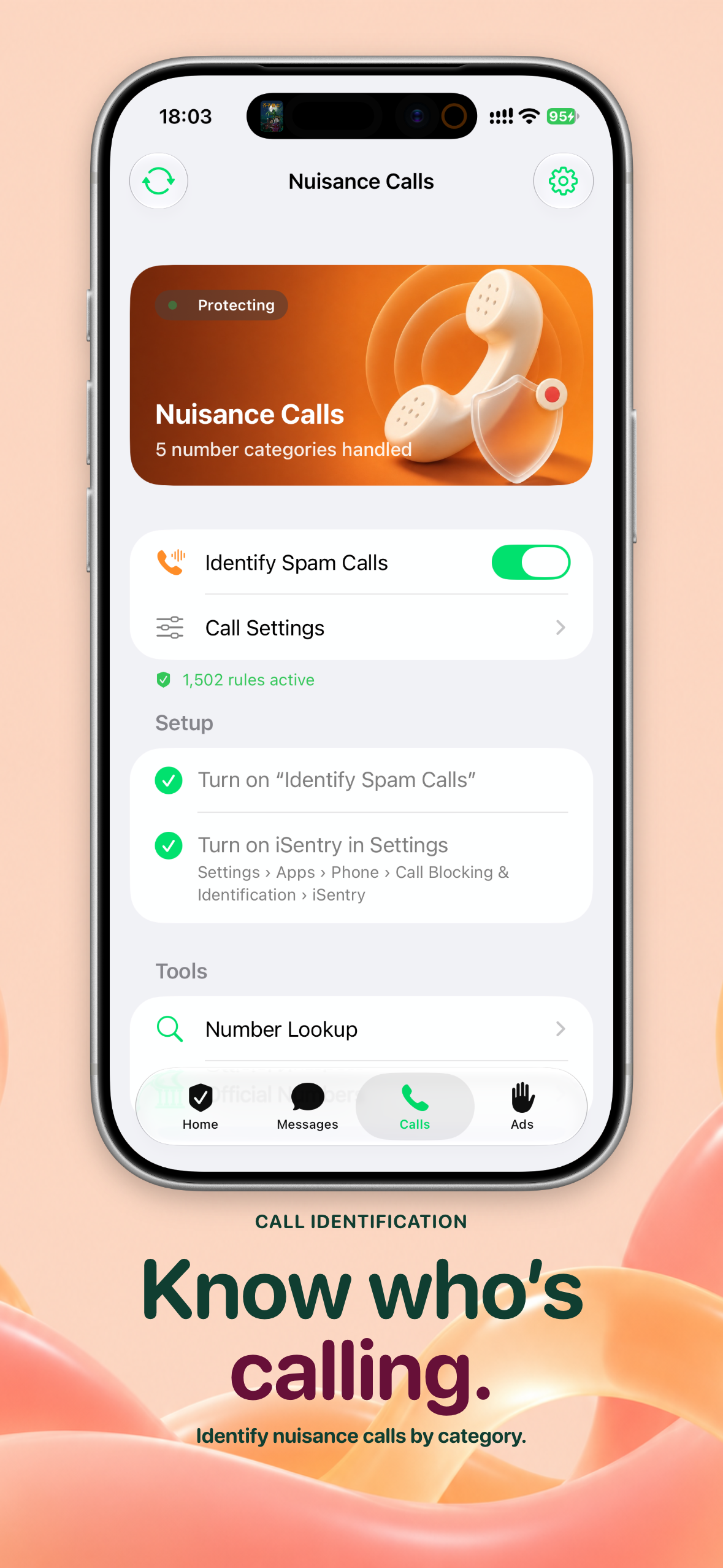
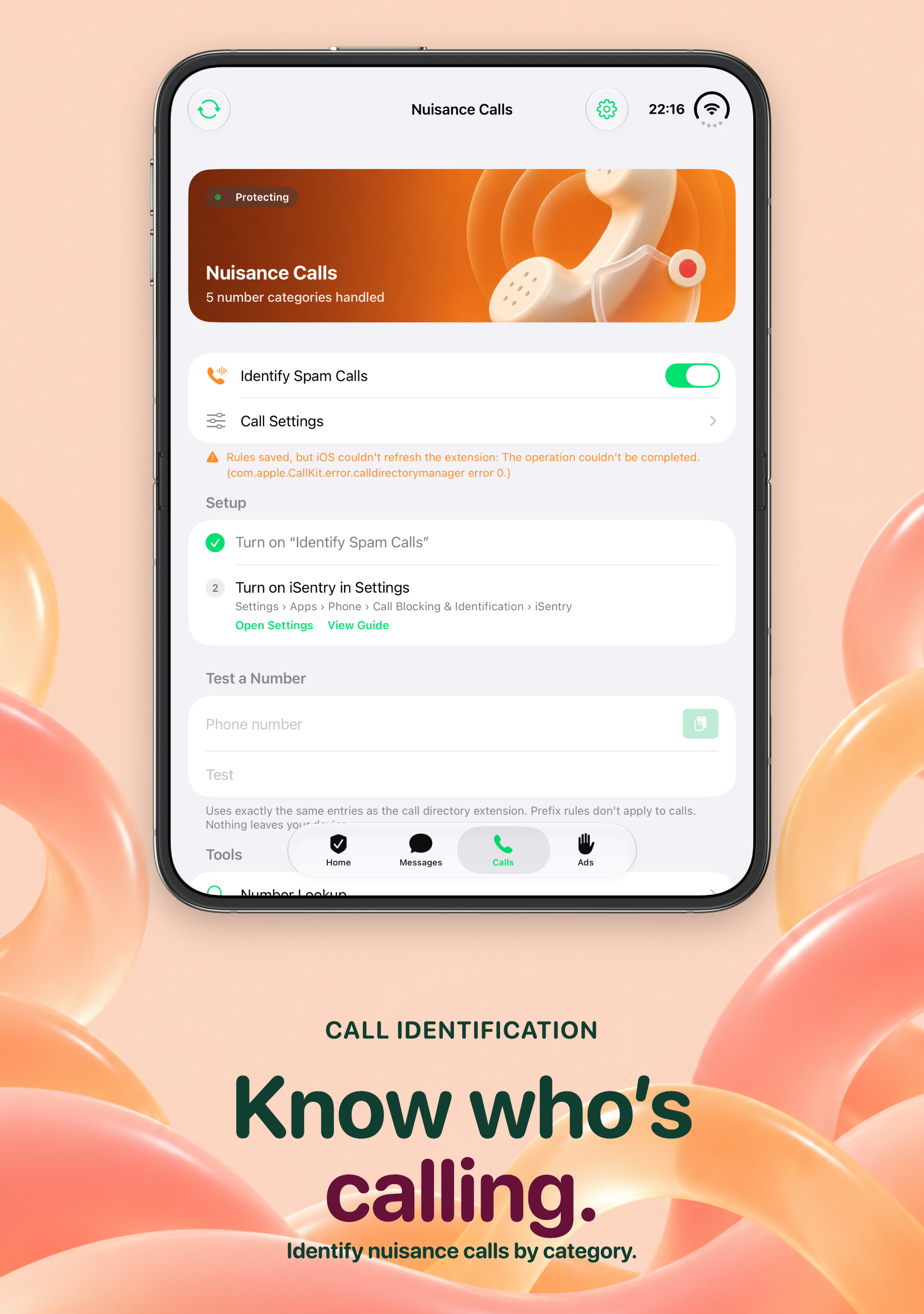
The number database identifies suspected fraud, harassment, telemarketing, frequently flagged and one-ring numbers. For each category you choose separately: off, label, or block. Labeled calls show tags like “iSentry · Harassment” on the incoming screen; blocked categories are silenced automatically. Official-number recognition marks well-known lines such as banks so familiar institutions are easy to spot.
Number lookup shows block/allow lists, official numbers, 106 gateways and database matches for any number, with one-tap add-to-blocklist or allowlist.
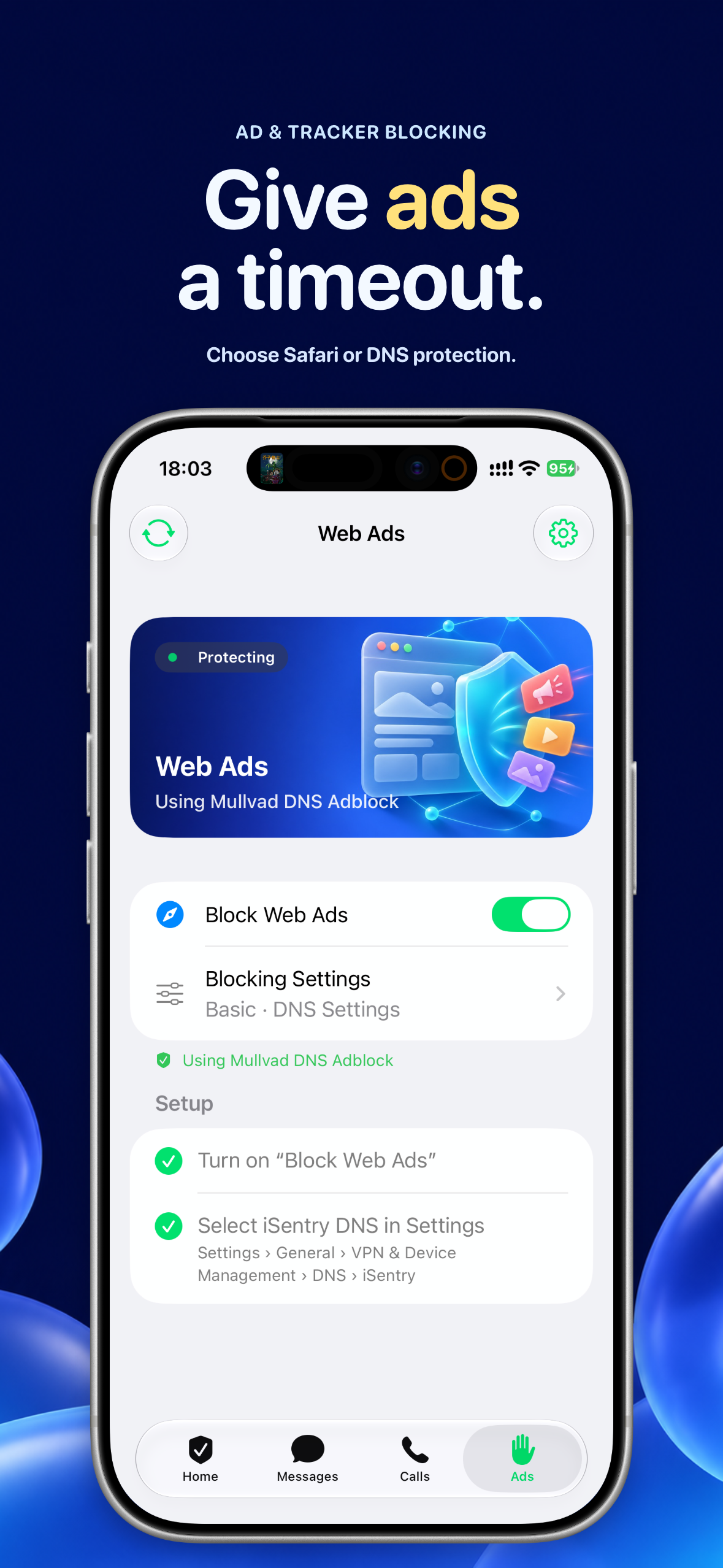
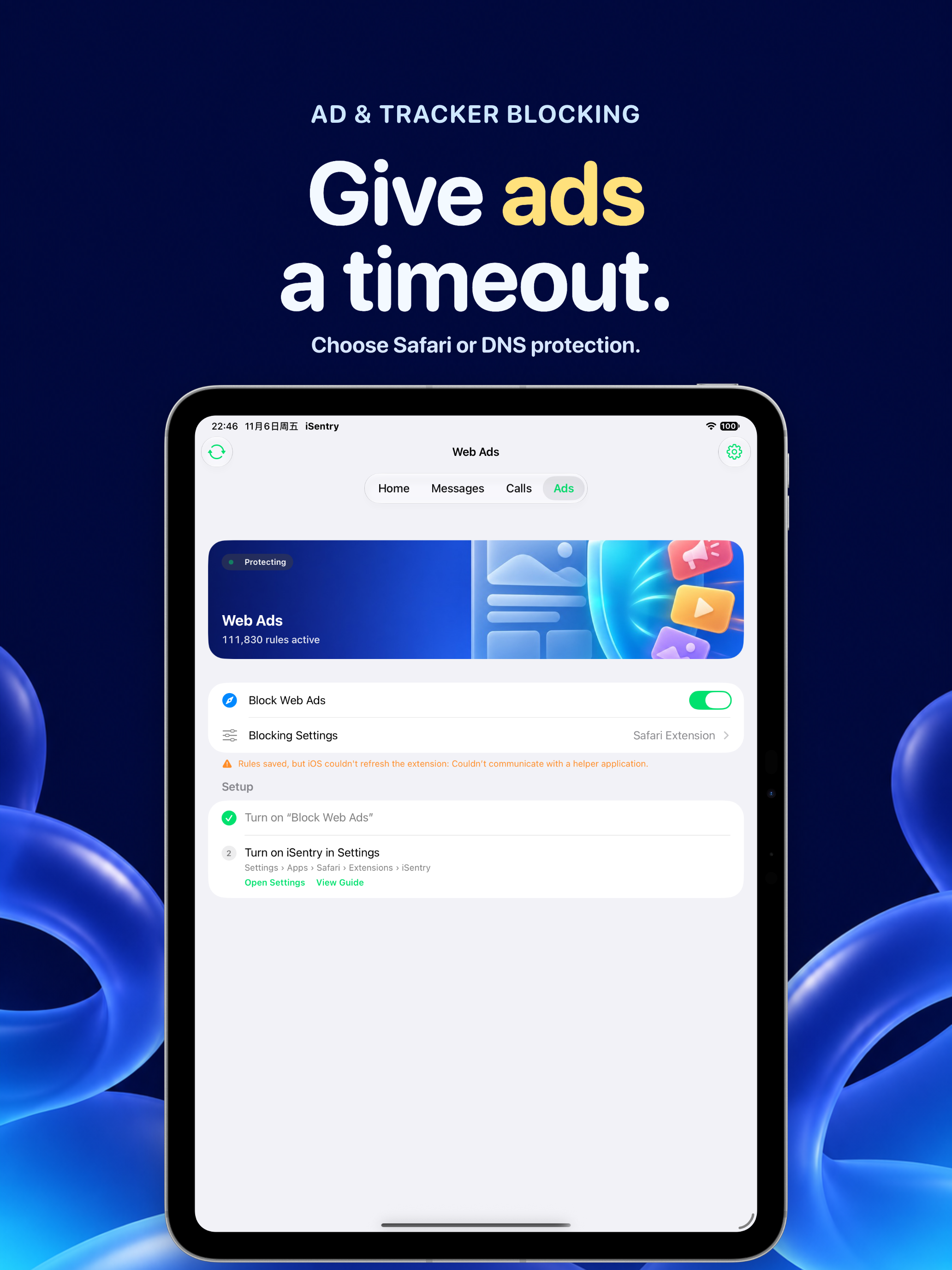
Give ads a timeout
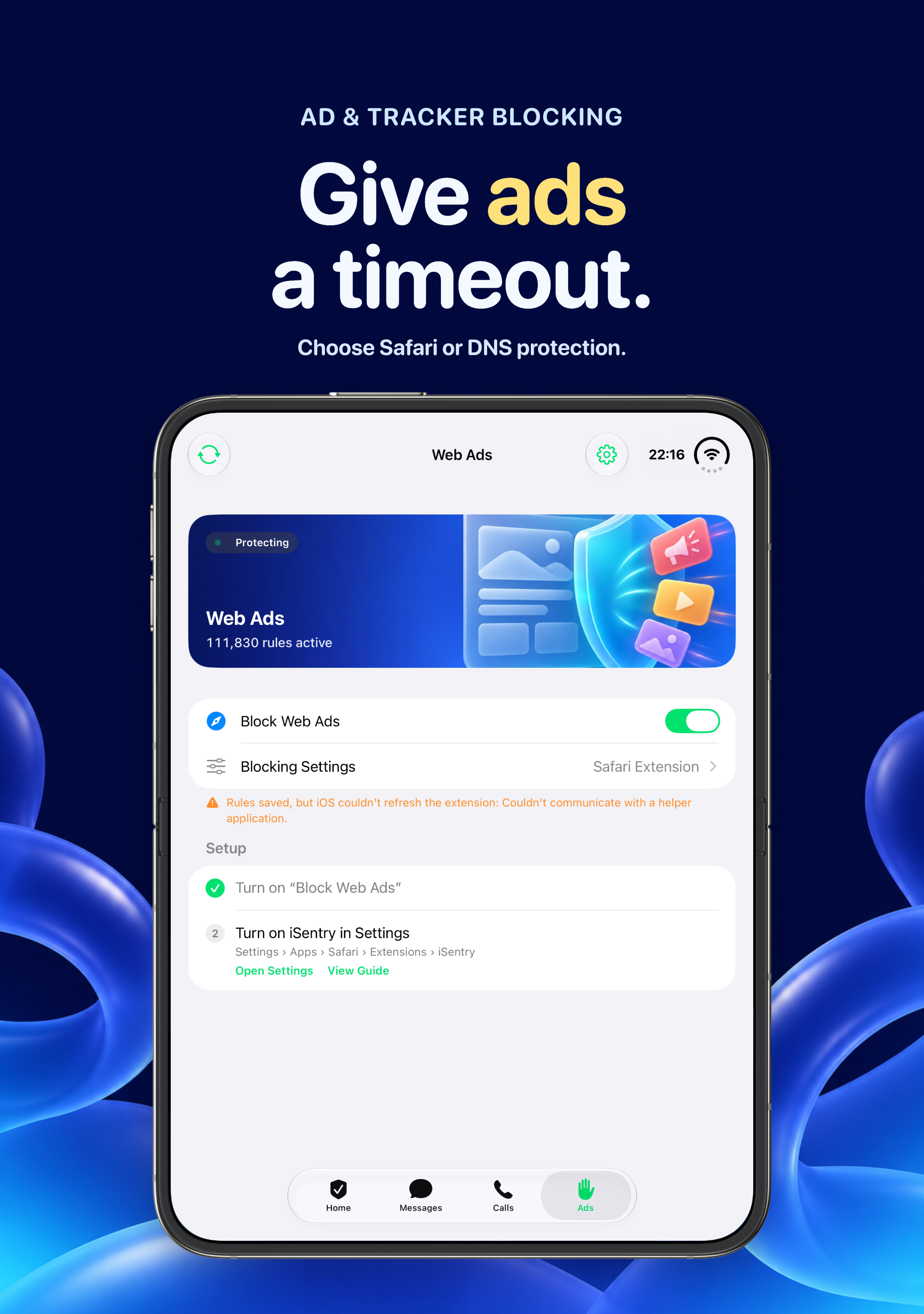
Three approaches, your choice: a Safari extension blocks ads, trackers and scam sites in the browser; Basic protection hands filtering to Mullvad or AdGuard DNS via system settings, no VPN needed; Enhanced protection uses a local VPN to block ads and tracking domains across all apps, with daily stats, 7-day trends and a recent-blocks log. Rules come from publicly maintained ad, tracking and scam-domain lists, and you can allowlist your favorite sites.
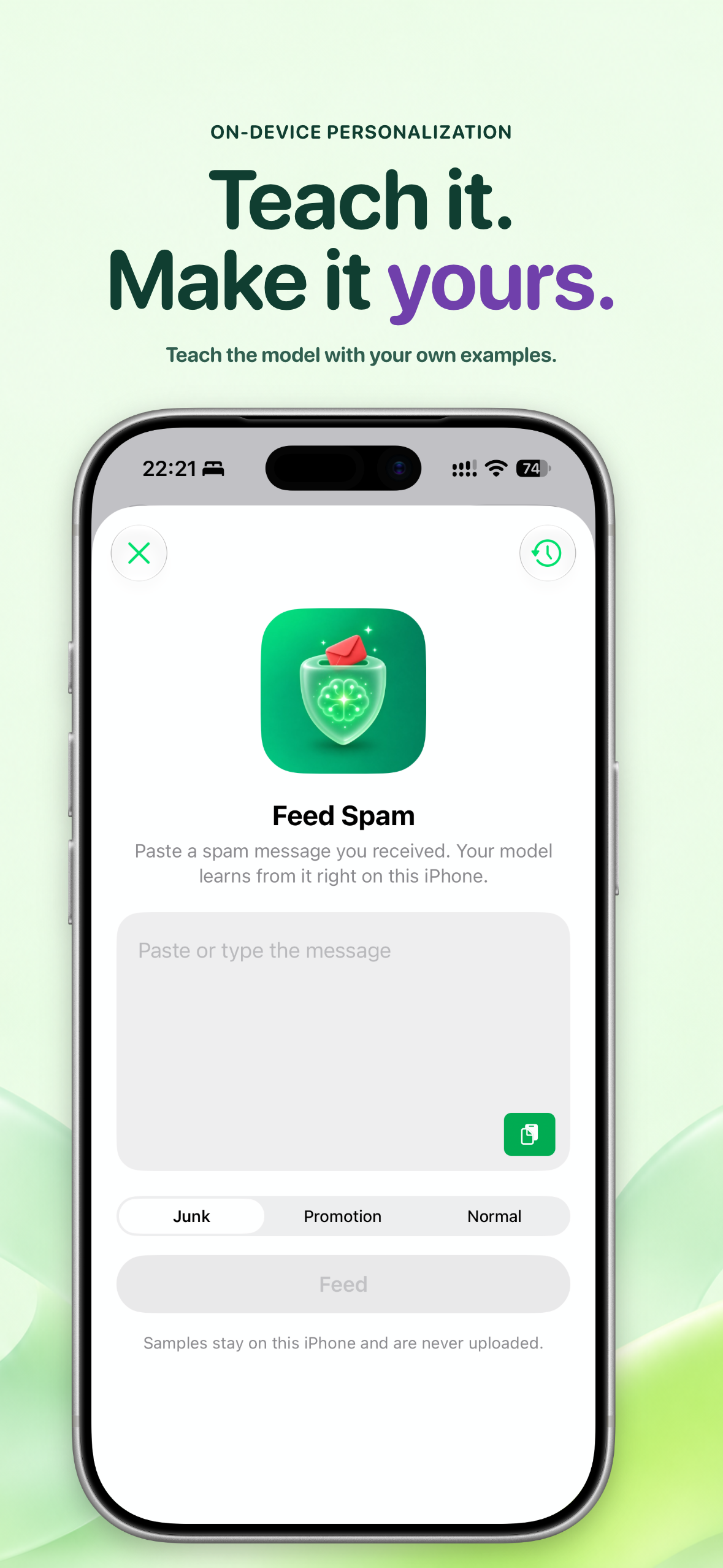
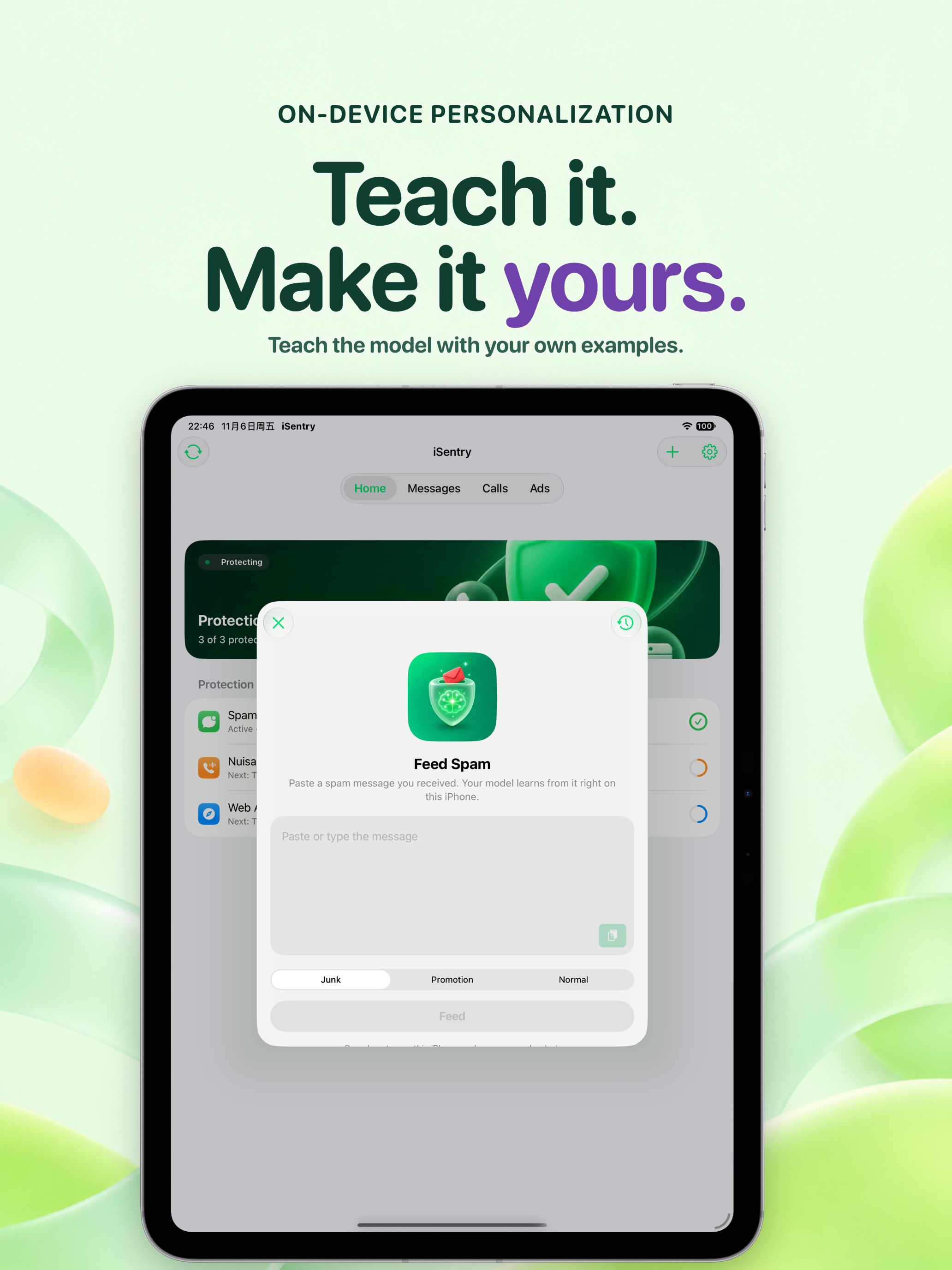
Teach it. Make it yours.
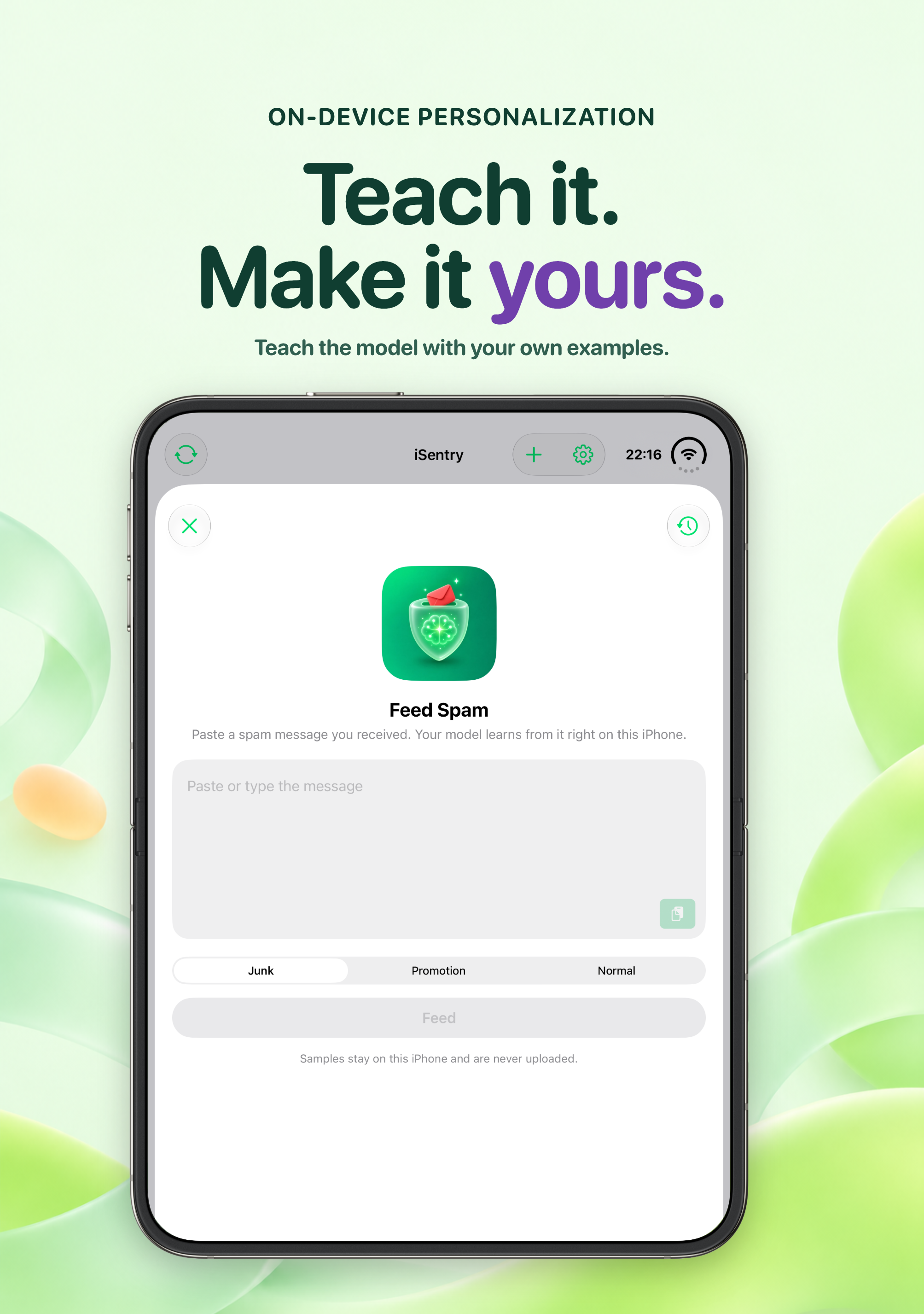
Got a new kind of spam? Paste it into “Feed spam texts”, mark it junk, promotional or normal, and the model learns to recognize similar messages on this iPhone. Samples and training stay on your device — nothing is uploaded. Combined with the built-in on-device model, it keeps getting closer to your own inbox.
What it does — and doesn’t
iOS provides no interception log for SMS filtering, call identification or Safari blockers, so iSentry does not pretend to show counts for them. Enhanced protection’s statistics come from queries actually processed on your device. Rule data and models are distributed through App Store background assets and can update without an app release; a failed update never affects the rules already in effect.
Start with one switch
- Inbox full of promotions and scams? Turn on SMS filtering and let Messages sort itself.
- Afraid to answer unknown numbers? Enable call identification and check the tag first.
- Too many ads in Safari? Install the content blocker, or pick DNS protection for every app.
- Want network-wide stats? Use Enhanced protection’s local VPN and watch the numbers.
- Same spam again and again? Feed a few samples and train your own filter.
Available for iPhone and iPad. Some capabilities such as the advanced SMS model require Pro; see the current in-app offer. Screenshots show a paid membership state. The app interface follows its actual language settings.
View on the App Store · Privacy Policy · Terms of Service
Support
Contact hocgin@gmail.com with questions or feedback. Please leave out unrelated message contents, phone numbers and access credentials.




iSentry Privacy Policy
Updated: November 6, 2026
Effective: November 6, 2026
iSentry is provided by 洪承金 (Hong Chengjin) (“we”). This policy explains what information the app processes, why, who receives it and your choices. Contact: hocgin@gmail.com.
Spam, call and ad decisions all run on your device. The protection extensions never go online, and we do not collect your message contents, call history or browsing data. The app includes online purchase, push, usage-analytics and crash-diagnostic services; when you enable Basic DNS protection or Enhanced protection, DNS queries are sent to the provider you choose. This policy does not replace system permission requests or constitute blanket consent for optional or sensitive processing.
1. SMS filtering and on-device training
SMS filtering runs through the system Message Filter extension. When a message arrives from an unknown sender, the system passes the sender and text to the extension, which decides on device (junk, promotional, transactional or allow) using a rule snapshot. The decision never goes online; message contents are not stored on our servers or sent to any third party.
Decisions rely on built-in keywords and number databases, 106 gateway lists, scam-domain lists, your block/allow lists and custom keywords, and an on-device spam model. The in-app SMS tester replays the same decisions locally.
Personal training happens entirely on your device: samples you feed in and their labels (junk / promotional / normal) stay on the device, and model training runs locally. Sample texts, training data and personal replay sets are never uploaded. Delete samples or uninstall the app to remove the corresponding data.
Verification-code protection is on by default: messages containing code keywords with 4–8 digits are always allowed through, reducing false positives.
2. Call identification and blocking
Call identification runs through the system Call Directory extension. The app writes the number database, your blocklist and official-number entries into the system-provided directory; the system matches incoming calls locally and shows tags such as “iSentry · Harassment”. Categories you set to “block” are silenced automatically. The extension never goes online; we do not collect your call history, contacts or caller information.
3. Ads and DNS protection
Safari content blocker
Ad-blocking rules are compiled on your device and handed to the system; the Safari extension blocks ads, trackers and scam sites accordingly. The extension cannot see your browsing content and produces no browsing history.
Basic protection (DNS Settings)
When enabled, your device’s DNS queries are handled by the provider you choose (Mullvad, AdGuard or AdGuard Family; Mullvad by default), where filtering takes place. Your DNS queries — which can reveal visited domains — are sent to that provider and processed under its own privacy policy, linked in section 6. You can disable it anytime in system settings.
Enhanced protection (local VPN)
Enhanced protection processes your device’s DNS queries in a local VPN (network extension) and blocks ad and tracking domains on device. Queries are judged locally; daily stats, 7-day trends and the recent-blocks log stay on your device. Non-blocked queries are forwarded to the upstream DNS you choose, which processes them under its own policy. The local VPN is mutually exclusive with other VPN apps and requires your consent to the system “Add VPN Configuration” prompt.
4. Rule data updates
Number databases, gateway lists, keywords, domain lists and the SMS model are distributed through Apple-hosted background assets, signed and verified by the App Store. Checking or downloading updates only sends requests to Apple services and carries none of your messages, numbers or other personal information; a failure at any step never affects the rules already in effect. Built-in rules and a basic model ship with the app as a fallback.
5. Settings, records, purchases and system services
The app stores module switches, block/allow lists, custom keywords, allowlisted sites, filtering levels and Enhanced-protection statistics and recent blocks (latest 200) locally to maintain its state; this data stays in the app sandbox or the system-provided shared container and never leaves your device. Home-screen widgets read protection status locally and collect nothing extra.
Apple processes in-app purchases and restoration. The app reads product information, transaction verification results and entitlement status to unlock Pro. We do not receive your payment card details or Apple Account password. Webpages opened by in-app feedback or referral features are received by the corresponding sites, subject to their terms.
6. Notifications, analytics and diagnostics
| Service | Purpose and information that may be processed | Official information |
|---|---|---|
| OneSignal | Push delivery and notification management; push tokens, installation or subscription identifiers, device model, OS and app versions, language, time zone, IP address, sessions and notification interactions. | SDK data collection, Privacy Policy |
| Firebase Analytics (Google) | Usage analysis; app-instance identifiers, device and app information, feature events and usage. | Firebase privacy and security |
| Firebase Crashlytics (Google) | Crash and error investigation; installation identifiers, stack traces, diagnostic logs, device and app versions and error context. | Firebase privacy and security |
| DNS providers (when you enable them) | DNS resolution and filtering for Basic protection, or upstream resolution for Enhanced protection; processes DNS queries from your device. | Mullvad privacy policy, AdGuard privacy policy |
| Apple: IdentityLookup, CallKit, Network Extension, StoreKit, APNs, background assets and related services | System extension invocations, rule distribution, purchases, push and authorization, according to your actions and settings. | Apple Privacy Policy |
The analytics and diagnostics services do not need your messages, call history or browsing data. Do not include unrelated message contents or phone numbers in diagnostic materials you submit. Actual processing depends on SDK operation, system permissions and service configuration.
AdMob advertising is not enabled in the current version. Disabling system notifications stops notification display, but does not disable all OneSignal SDK processing. The app currently has no single switch that disables every analytics, diagnostics and push SDK. Contact us to object, withdraw consent or request deletion; we will explain available measures and assist.
When you contact us, we process your email, description and attachments you choose to send to respond and investigate.
7. Basis, retention and security
We process necessary information only for the described features, support, stability and security, based on consent, necessity for the services you request or other lawful bases under applicable law. Where separate or guardian consent is legally required, we obtain it first; refusing optional permissions should not affect unrelated features.
Local settings, lists, samples and statistics are retained as needed until you manage, delete or uninstall through the app or system. Uninstalling removes this data from the app sandbox and shared container, but not entries already written to the system Call Directory (reinstall or disable the corresponding extension in system settings to stop them). We protect local data through the system sandbox, but no system can be guaranteed absolutely secure.
Apple, Google, OneSignal and your chosen DNS providers are global services that may process information outside your country or region; locations and retention periods follow their configuration, policies and applicable law. We do not promise that all information stays within any single country. Where cross-border procedures or separate consent are legally required, they are completed before such processing. Information under our control is kept only as long as necessary or legally required, then deleted or anonymized.
8. Sharing, transfer and disclosure
We do not sell your personal information. Information is provided to recipients only where necessary for the services described, where you actively choose it (such as selecting a DNS provider), to fulfill legal obligations or in other lawful circumstances. Third-party processing is governed by their policies; we remain responsible for our own processing.
In the event of a business transfer, we will inform you as required by law and require the recipient to continue protection obligations; changes of purpose require renewed consent. We do not publicly disclose your message, call or browsing data unless you choose to make it public, authorization is obtained or the law otherwise requires.
9. Your choices and rights
- Enable or disable SMS filtering, call identification, the Safari extension and DNS configuration in system settings; turning a module off in the app writes empty rules and the extension stops taking effect immediately.
- Manage block/allow lists, keywords, allowlisted sites, training samples and block logs in the app; switch or disable DNS providers.
- Manage subscriptions and purchases through your Apple Account; uninstalling does not cancel a subscription.
- To access, copy, correct or delete personal information, withdraw consent or file a complaint, contact hocgin@gmail.com. We verify the minimum necessary identity, handle requests for records we can associate with and control, and assist with third-party records under their processes.
We usually respond within 15 business days; extensions, legal retention duties or infeasibility will be explained. Withdrawal does not affect the legality of prior processing.
10. Minors, updates and this website
Minors should use and purchase under guardian guidance. Where the personal information of a minor under 14 is involved, guardian consent is obtained first with appropriate safeguards; guardians may request lookup or deletion via the support email.
This policy is updated with a new date when it changes; material changes to purposes, information types, recipients or rights will be surfaced appropriately and re-consented as legally required, without substituting continued use for necessary authorization.
This policy describes the iSentry app. The Logspot website hosting this page may separately use statistics, comments or advertising services; see the website privacy notice.
11. Contact
Personal information handler: 洪承金 (Hong Chengjin)
Email: hocgin@gmail.com
iSentry Terms of Service
Updated: November 6, 2026
Effective: November 6, 2026
These terms govern your use of iSentry, provided by 洪承金 (Hong Chengjin) (“we”). Read them before enabling the relevant features or purchasing. If you disagree, stop using the relevant services. Information and permission practices are described in the Privacy Policy.
1. The service
iSentry provides three on-demand protections: spam SMS filtering (Message Filter extension), nuisance-call identification and blocking (Call Directory extension), and web ad blocking (Safari content blocker, system DNS settings and a local-VPN Enhanced mode), along with number lookup, block/allow lists, custom keywords, an SMS tester and on-device personal training. Availability depends on the OS version, device, permissions and purchase entitlements; see the current in-app description.
Blocking decisions are made automatically on your device by rules and algorithms, and may produce false positives or misses. You can tune results with filtering levels, block/allow lists, keywords and allowlisted sites, and review verdicts with the SMS tester. Treat suspicious messages and calls with your own judgment; verify important matters through official channels.
iOS provides no interception log for SMS filtering, call identification or Safari blocking, so those modules show no block counts. Enhanced protection’s statistics and logs come from queries actually processed on your device and are for reference only.
2. System extensions and setup
Each module has two layers of switches: the in-app toggle and the extension switch in system settings; both must be on for the module to work. The app guides you to the relevant system settings, whose location and behavior are determined by iOS and may change across system versions.
Turning a module off in the app immediately writes empty rules and refreshes the extension. After uninstalling, entries already written to the system Call Directory are handled by the system’s own mechanism; you can disable the corresponding extension in system settings to stop them immediately.
3. Blocking behavior and data
Call “blocking” silences the call without leaving a call record; “labeling” only shows a tag on the incoming-call screen. Setting high-risk categories to block requires a confirmation in the app; decide after understanding the consequences.
Verification-code protection reduces false positives but cannot guarantee every code message is let through. If a code (login, payment) does not arrive, check the Junk and Promotional filters or temporarily disable SMS filtering.
Basic protection (DNS Settings) filters through the provider you choose; Enhanced protection (local VPN) is mutually exclusive with other VPNs on the device and replaces the existing VPN configuration when enabled. DNS-based features may affect network speed or the availability of some services; you can disable them anytime in system settings.
Rule data and models are distributed through App Store background assets; number databases, gateway lists, keywords and domain lists come from public channels and open-source projects under their respective licenses. Updates may lag behind new threats; we do not promise to intercept all spam messages, nuisance calls or ads.
4. Pro, subscriptions and purchases
Basic and advanced features, free quotas, product types, prices, currencies, periods and offers are as explicitly displayed in the app and App Store at purchase. Prices and membership states in screenshots are illustrative. The app may offer auto-renewable subscriptions (monthly, yearly) and a one-time lifetime purchase; see currently available products.
Apple processes payment through your Apple Account. Subscriptions renew under the terms displayed at purchase. To prevent renewal, cancel at least 24 hours before the current period ends. Manage subscriptions in Settings → Apple Account → Subscriptions. Access usually continues until the paid period ends, subject to Apple’s displayed status. Uninstalling, revoking permissions or deleting data does not cancel a subscription.
Where a free trial or promotion is offered, its duration, subsequent charges and conditions are disclosed at purchase. An uncanceled trial may become a paid subscription. Restoring purchases requires the original purchasing Apple Account and a valid transaction. One-time purchases do not renew on a subscription cycle; their scope follows the product description.
Request refunds through reportaproblem.apple.com under Apple’s applicable policies. These terms do not exclude statutory refund or consumer rights. See Apple’s cancellation instructions.
5. Rights and acceptable use
Samples you feed in, lists, keywords and other usage data remain yours and stay on your device; using the app does not transfer their ownership to us. Rights in the app’s code, design, trademarks and materials belong to us or the relevant owners; third-party components and open-source rule data follow their respective licenses.
Subject to applicable law, you receive a nonexclusive, nontransferable license for personal use. Do not distribute unlawful content, infringe others’ privacy or intellectual property, access another person’s device or data without authorization, bypass permissions or access controls, or interfere with the service. These restrictions do not prohibit conduct protected by applicable law.
6. Changes and responsibility
We reasonably maintain the app and may update, restrict or discontinue features for system changes, security, maintenance or product reasons. Material changes affecting paid entitlements will receive appropriate notice and be handled under applicable law, preserving rights that cannot be excluded.
Rules, algorithms, system extensions or third-party services (including DNS providers) may fail, interrupt or become incompatible. We do not guarantee perfectly accurate blocking or uninterrupted operation. Review automatic decisions, protect credentials and judge important matters yourself. Contact support promptly when problems occur; we will reasonably assist investigation.
Responsibility is determined by applicable law, actual fault and causation. These terms do not exclude liability for intentional misconduct, gross negligence or other nonexcludable circumstances, or remove statutory consumer rights.
7. Minors and other terms
Minors should use and purchase services with guardian consent and guidance. Changes to these terms will update the date; material changes will receive appropriate notice and legally required consent. Invalidity of one provision does not affect the other provisions to the extent permitted by law.
Contact support first to seek a resolution. Unresolved disputes may be brought before a legally competent authority. Apple is not the provider under these terms; App Store distribution and purchases also follow applicable Apple terms.
8. Contact
Provider: 洪承金 (Hong Chengjin)
Email: hocgin@gmail.com