
Photo Clean: Keep the memories. Make some room.
Keep the memories. Make some room.
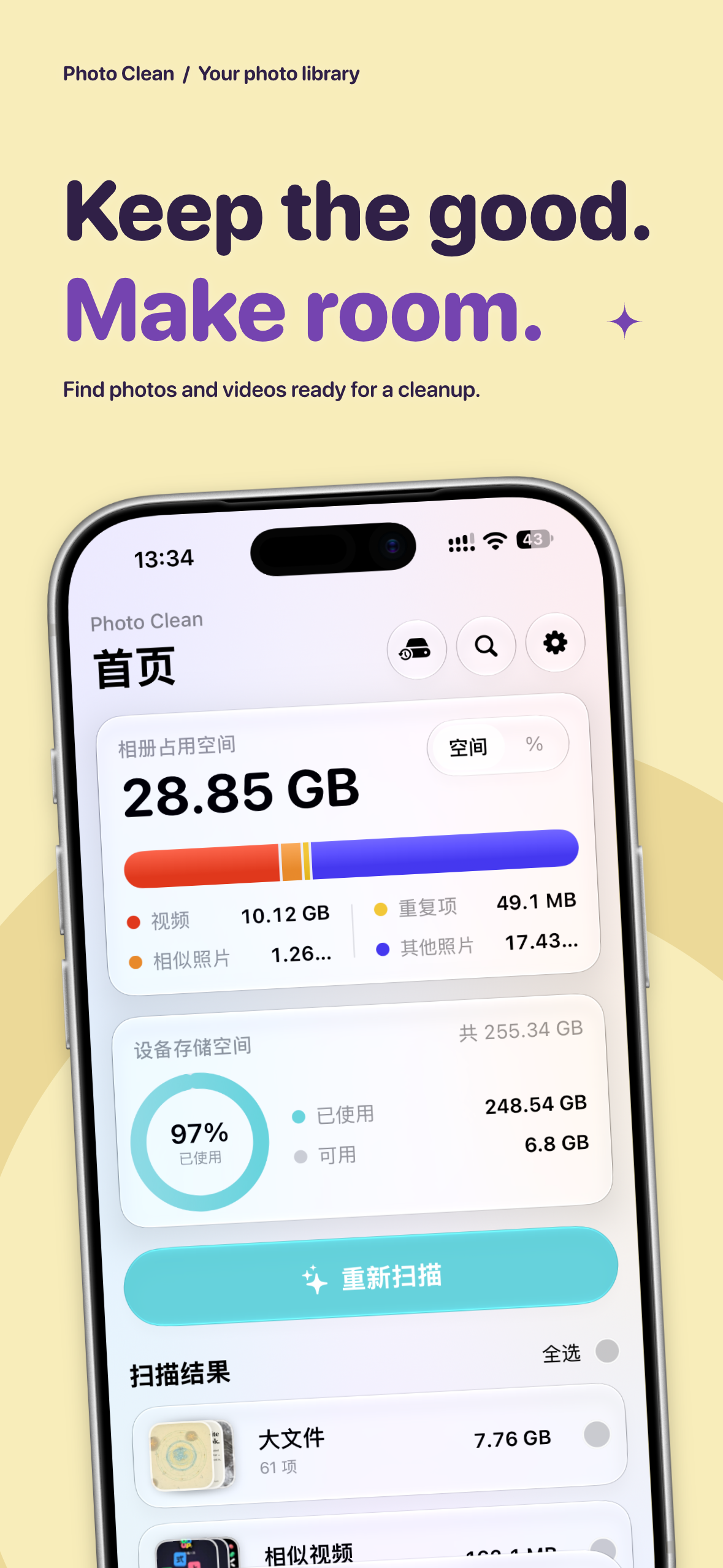
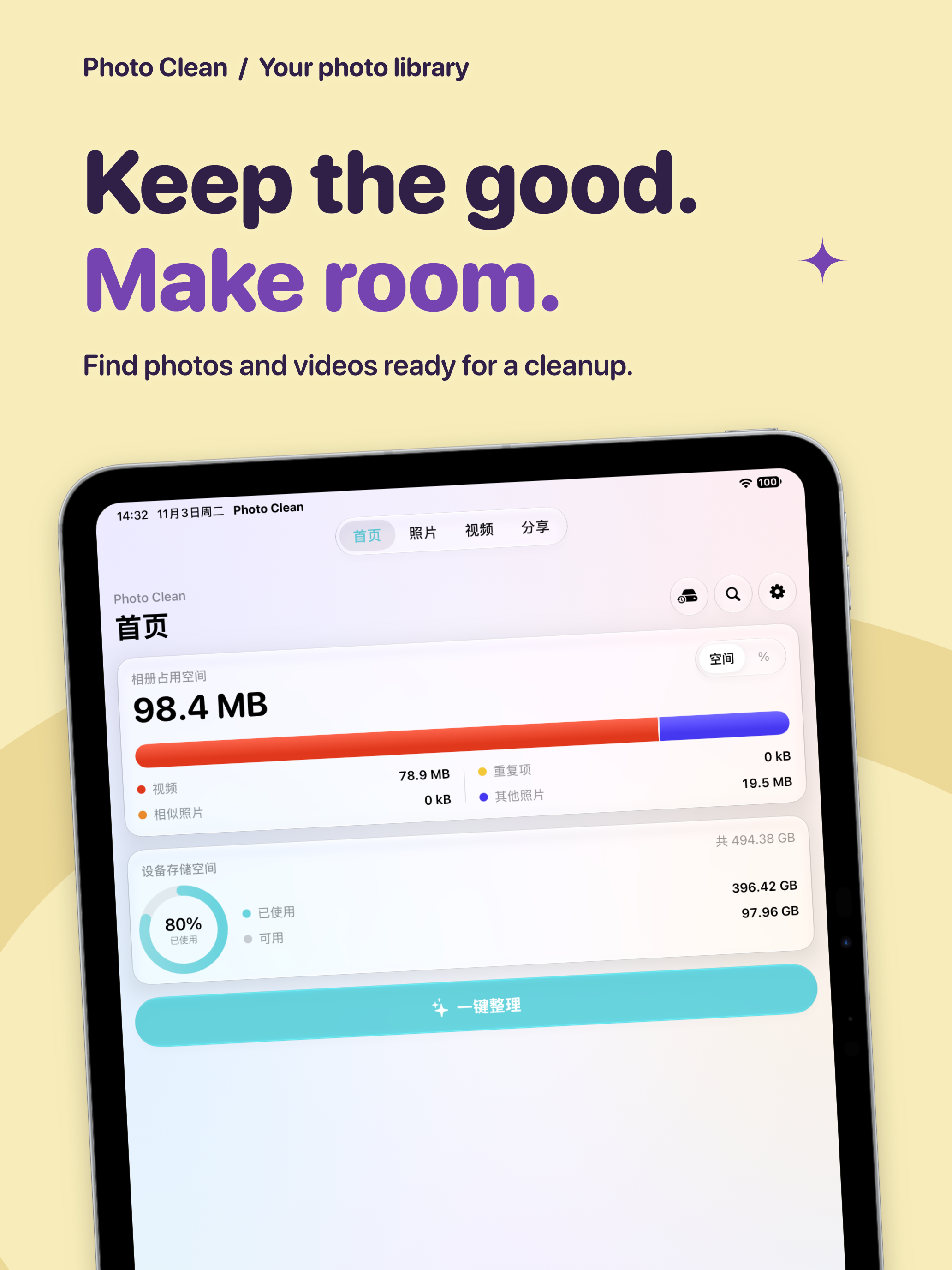
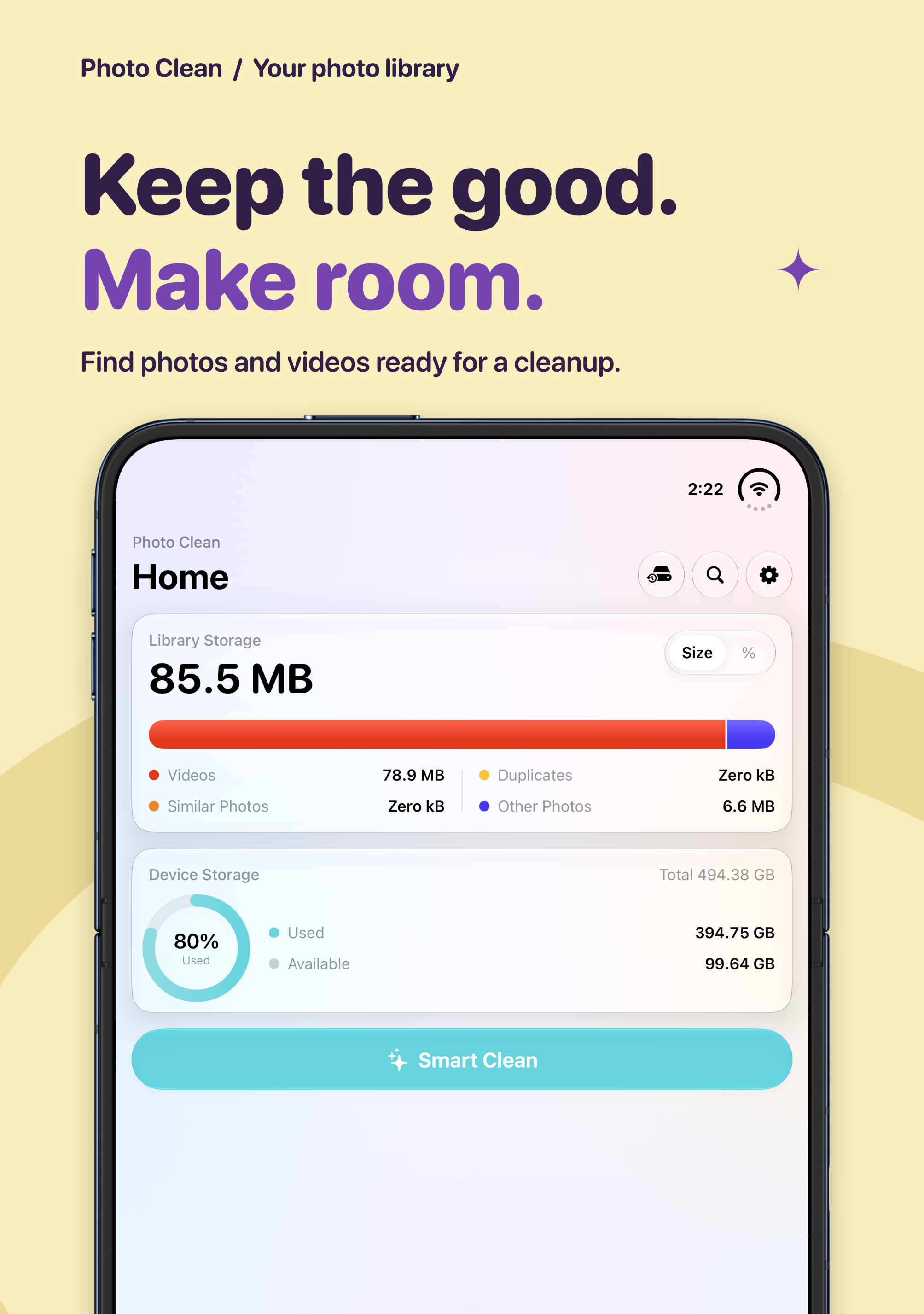
Burst shots, forgotten screenshots and large videos add up. Photo Clean helps you understand what is taking up space, find a place to start and decide what deserves to stay.
Start with a scan
See photo-library and device storage, then review duplicate photos, similar photos and videos, screenshots, large files and low-quality photo suggestions. Inspect and select items before confirming deletion in the system dialog. A scan offers suggestions; only you can decide which memories matter.
Give your library some order
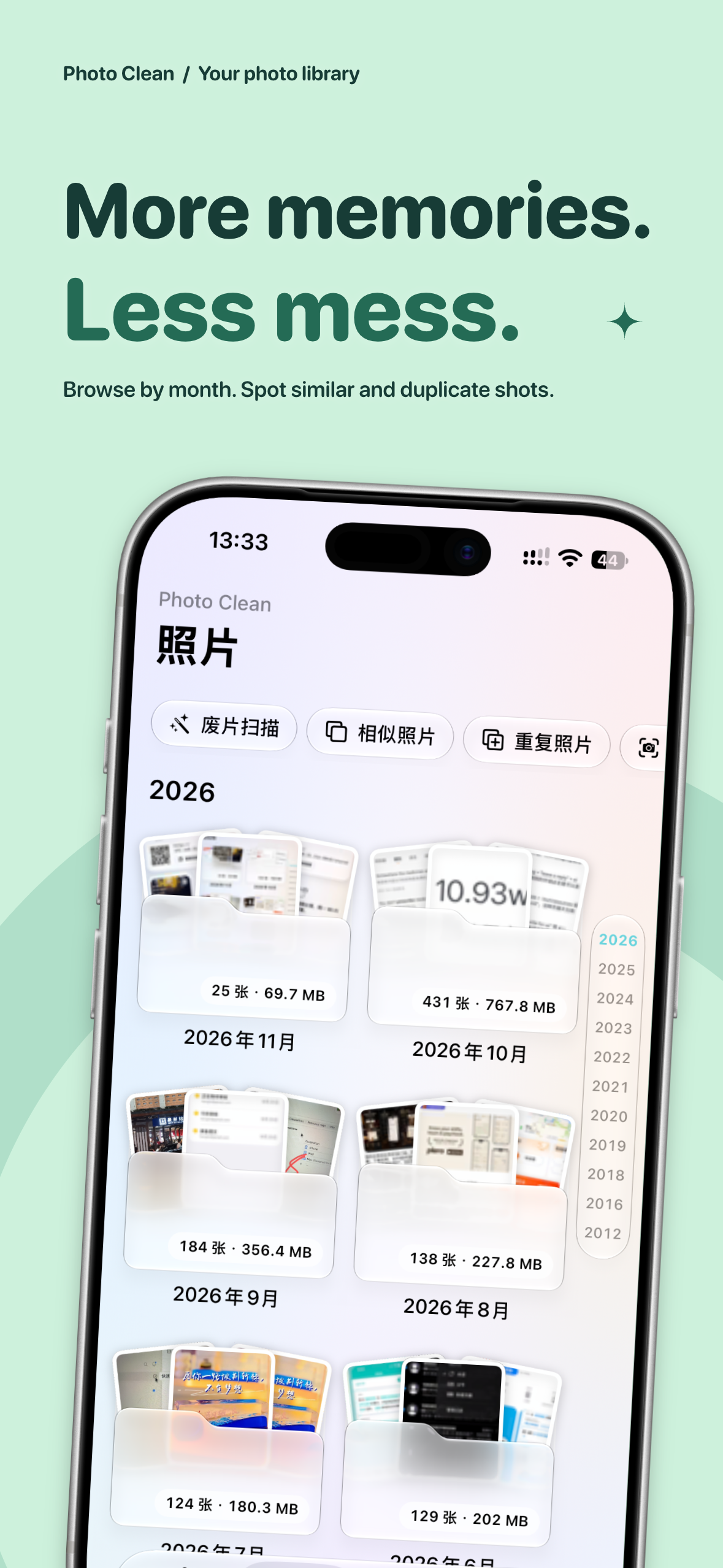
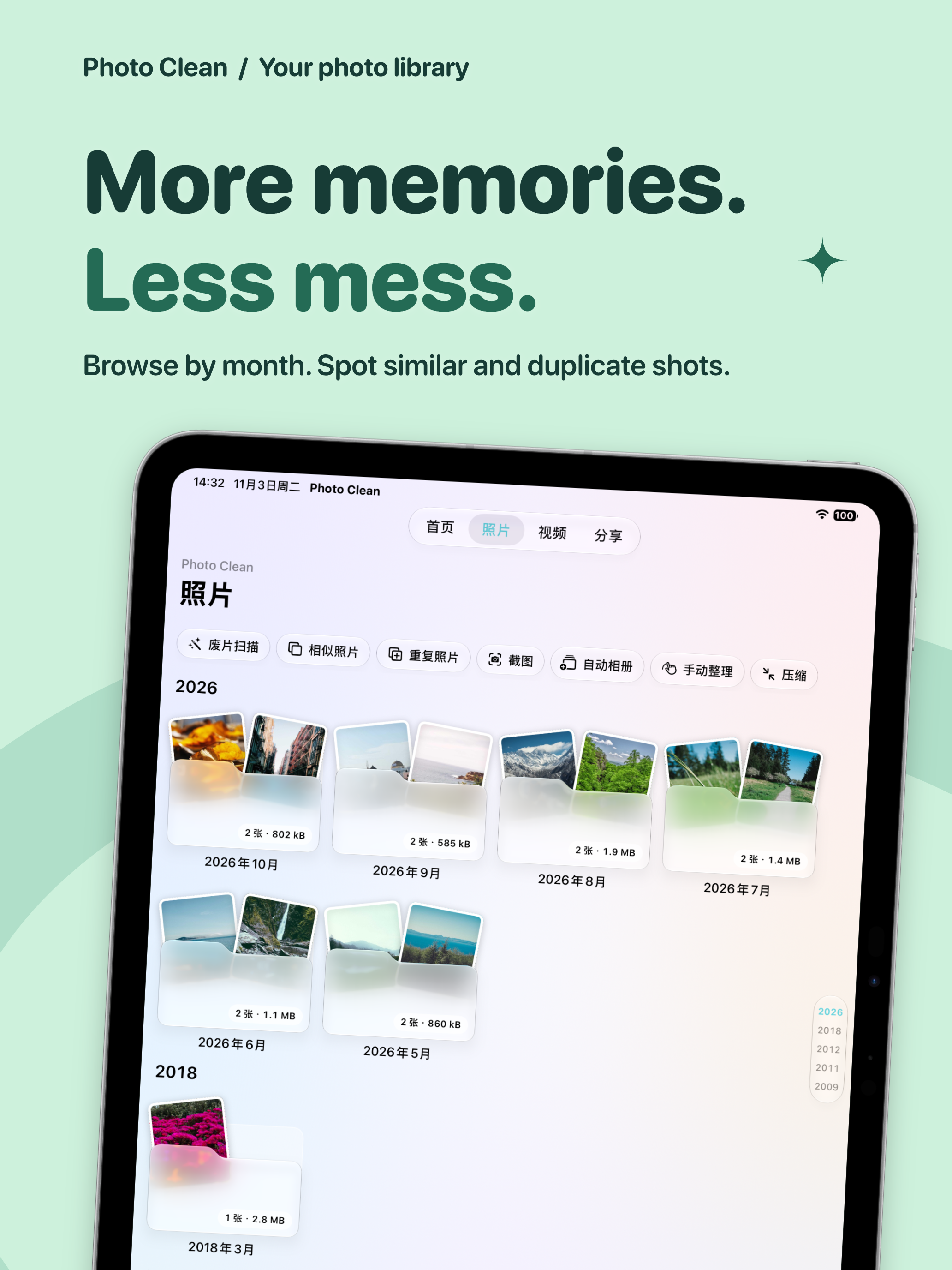
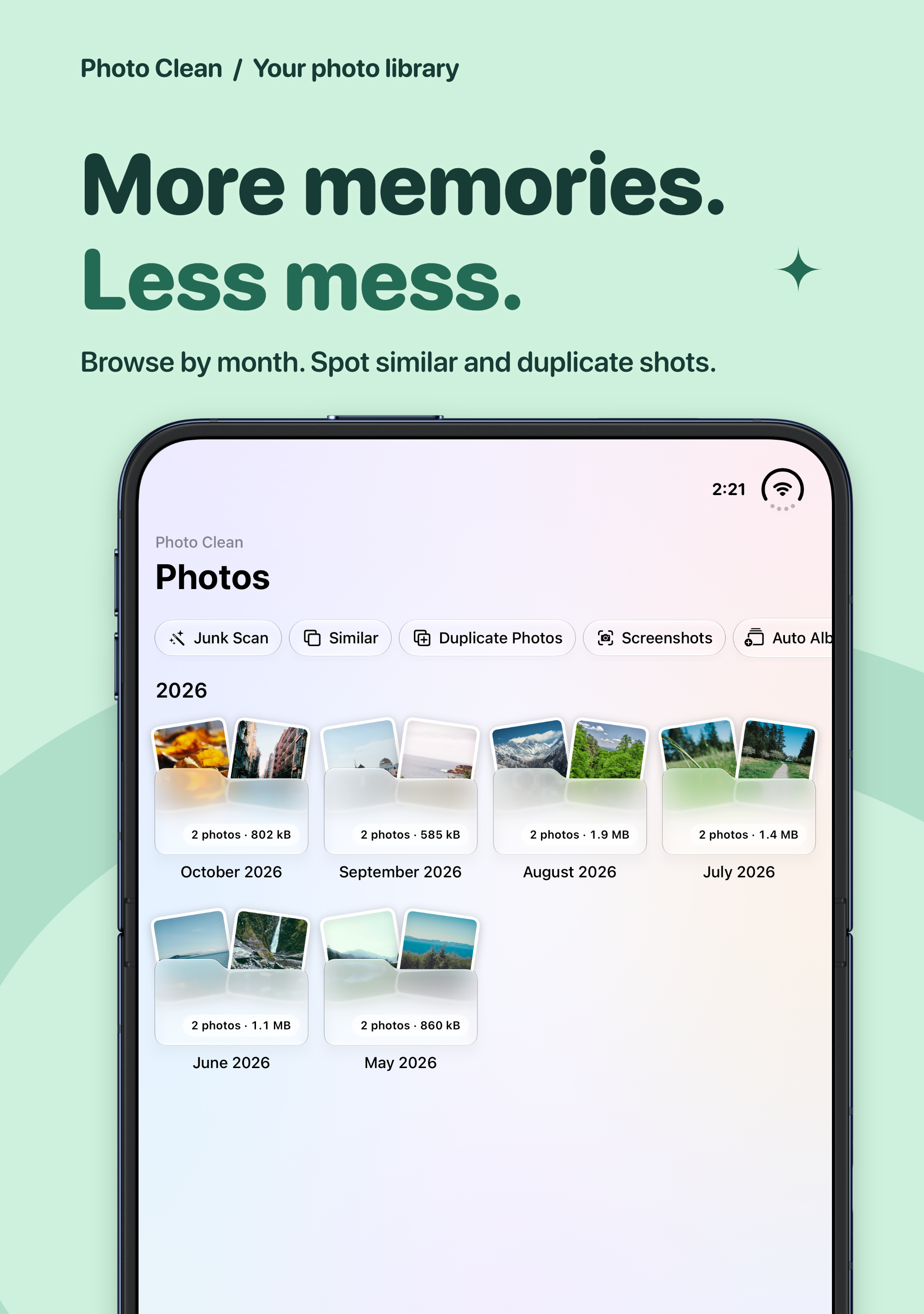
Browse by year and month, or swipe through photos to keep them or mark them for deletion. Organizing history lets you work through your library a little at a time. Content search uses locally generated image labels and recognized text to find scenes, objects and words in photos. Results depend on the items you have authorized and indexed.
Make photos and videos lighter
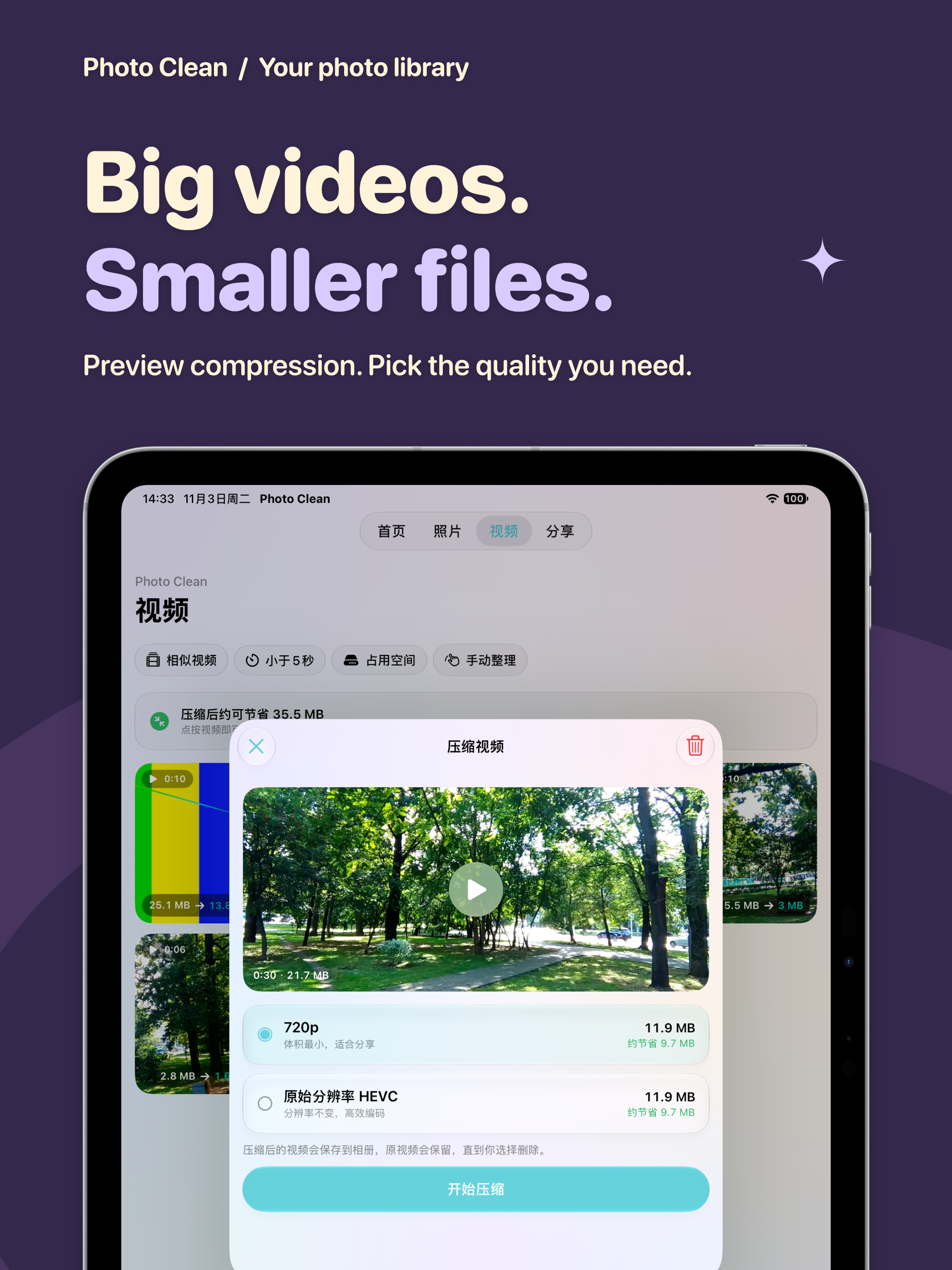
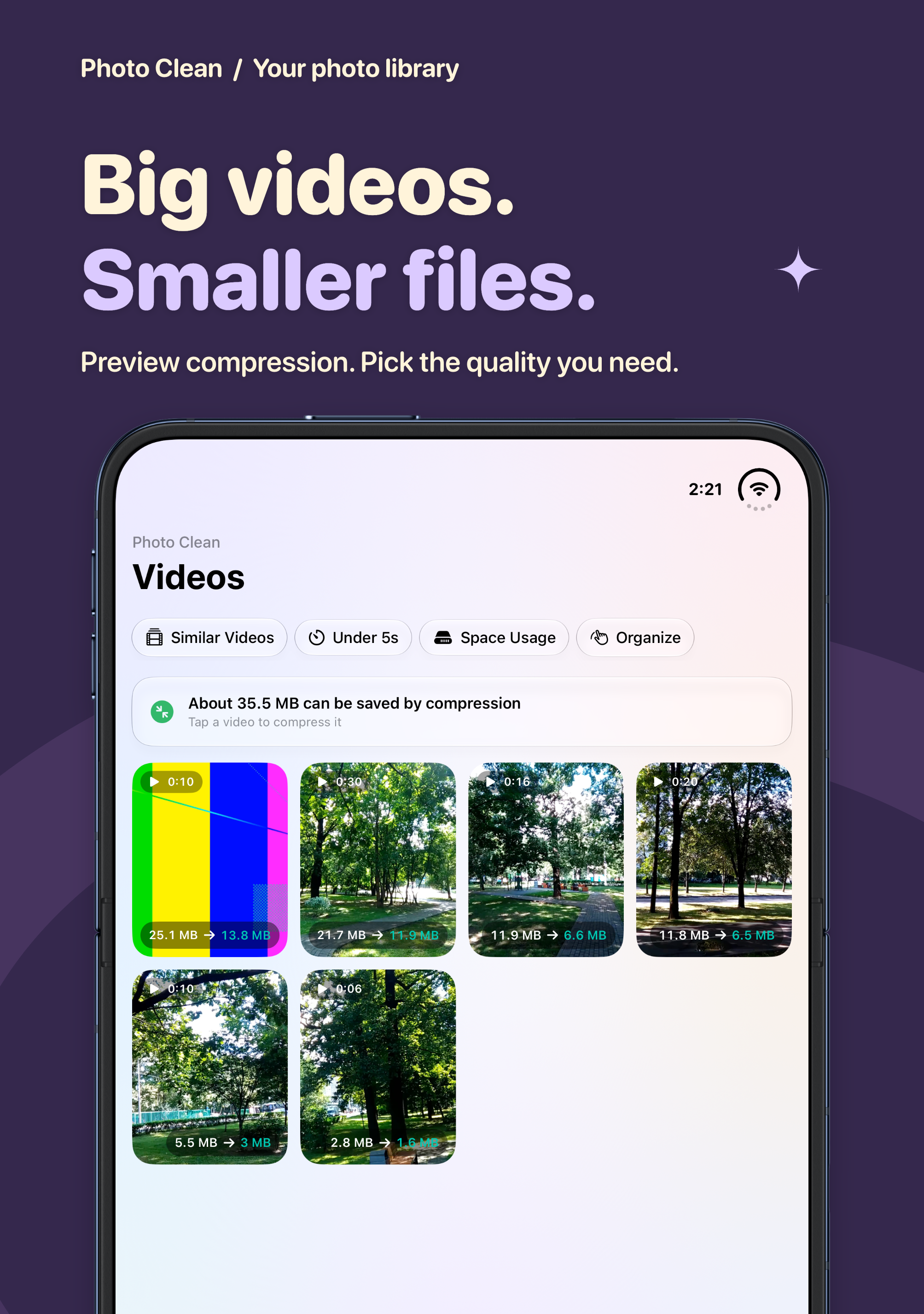
Compare photo compression previews, choose a video compression option and save a new copy to your library. Check the result before deciding whether to delete the original. File-size savings and quality vary with the source and settings. Storage figures and prices in screenshots are examples, not guaranteed savings or current offers.
Share the good moments
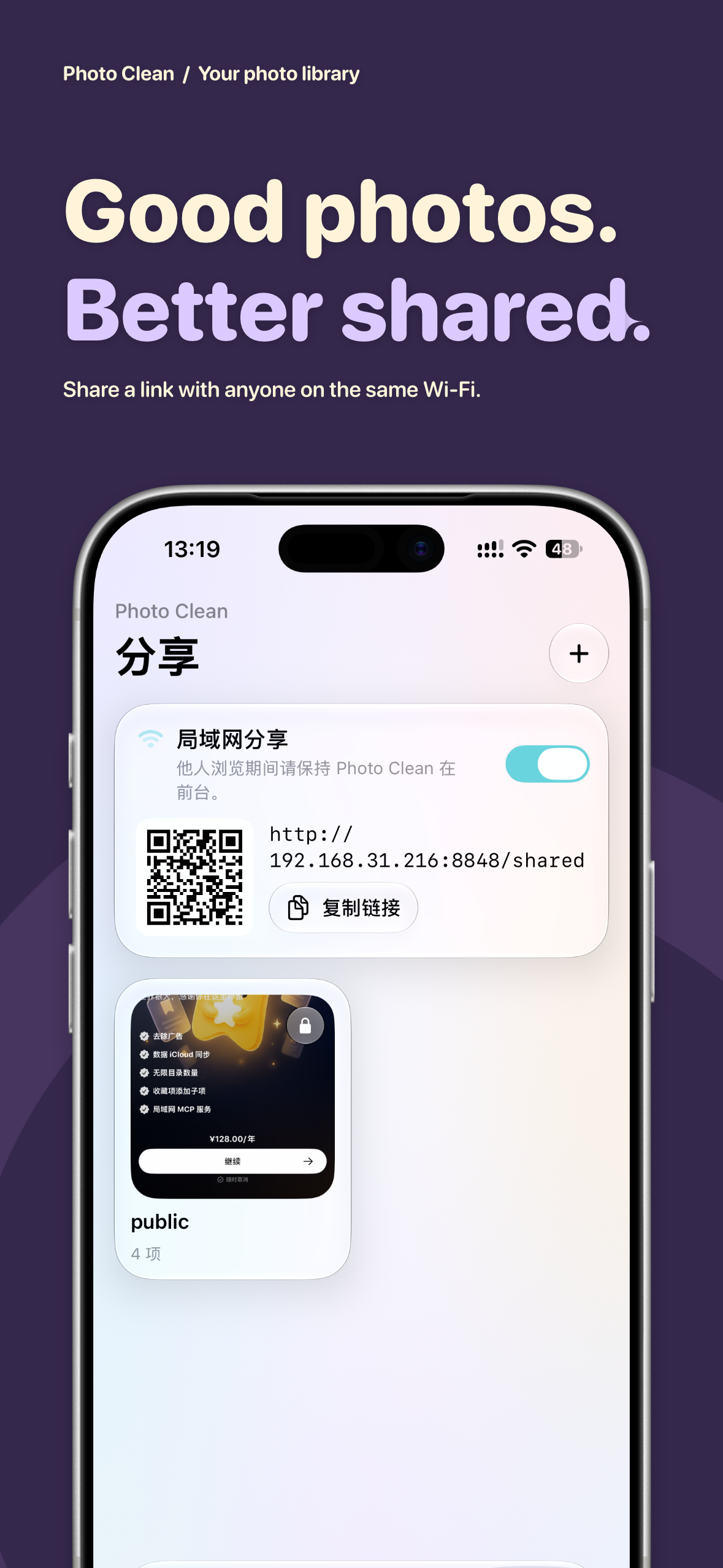
Add selected photos and videos to a shared folder, enable local-network sharing and open its link in a browser on the same Wi-Fi. Folders can be password protected. Keep the app in the foreground while others browse, and turn sharing off when finished.
For advanced workflows, an optional MCP service lets a compatible client query media, retrieve previews, manage albums and update favorites using an access token. Deletion still requires system confirmation on the device. Connect only trusted clients, which can receive media information and previews.
Tidy up contacts, too
With optional Contacts permission, find duplicate contacts and merge or delete selected entries. The app creates a local vCard backup before changes; backups can be managed and restored. You can leave Contacts access disabled if you do not use this feature.
A little organizing goes a long way
- Running out of storage? Review large files and similar items first.
- Back from a trip? Revisit the month and choose your favorite moments.
- Want to keep a video with a smaller footprint? Compress it and check the result first.
- Sharing with someone nearby? Use a shared folder on a trusted local network.
Available for iPhone and iPad. Some features, limits and advanced capabilities require Premium; see the current in-app offer. Screenshots show a paid membership state. The app interface follows its actual language settings.
View on the App Store · Privacy Policy · Terms of Service
Support
Contact hocgin@gmail.com with questions or feedback. Please leave out unrelated photos, contact details and access tokens.




Photo Clean Privacy Policy
Updated: November 3, 2026
Effective: November 3, 2026
Photo Clean is provided by 洪承金 (Hong Chengjin) (“we”). This policy explains what information the app processes, why, who receives it and your choices. Contact: hocgin@gmail.com.
Photo analysis, content indexing and contact cleanup primarily run on your device. Purchases, push notifications, analytics and crash diagnostics involve online services. Local sharing and MCP send content to recipients when you enable them. This policy does not replace system permission requests or constitute blanket consent for optional or sensitive processing.
1. Photos, videos and local analysis
With Photos permission, the app reads authorized photos, videos, thumbnails and metadata, including identifiers, dates, dimensions, duration, file size, favorites and albums. This supports browsing, storage estimates, duplicate and similarity detection, quality analysis, organizing, compression and album management. Limited access restricts scans and searches to accessible items.
Image features, similarity fingerprints, brightness, quality scores, content labels and recognized image text are generated on the device. They may be cached in a local database with asset identifiers and sizes. Recognized text may include personal information visible in your images. The app does not upload photos, videos or recognized text to our servers or a cloud AI service for scanning or content search.
Compression creates new files on the device and saves them to the system photo library. Deleting, favoriting or managing albums changes that library; deletion requires system confirmation. For assets stored in iCloud Photos, Apple may download originals for previews, reading or compression, depending on your settings. iCloud Photos can also propagate deletions to other devices.
2. Contacts and backups
With optional Contacts permission, the app locally reads names, phone numbers, email addresses, organizations and related contact data to detect duplicates, suggest merges, delete entries or restore contacts. Before merging or deleting, it creates a local vCard backup, which may contain additional fields from contact cards. Backups are stored under ContactBackups in the app’s Documents directory and can be managed through the app or Files.
Contact deduplication does not upload your address book to our servers. Exporting or sharing a backup sends its content to your chosen recipient. Declining Contacts permission does not affect unrelated photo features. System contact synchronization follows your Apple or other account settings.
3. Local sharing and MCP
Shared folders
The app stores folder names, selected asset identifiers, folder numbers, creation times and any access password on the device. While sharing is enabled, devices able to reach the local address can view the corresponding folders and media. Protected folders require a password; unprotected folders are accessible to devices that can reach the address. Recipients may retain or redistribute content.
The service uses local HTTP and does not provide HTTPS encryption. A folder password does not encrypt the connection. Use a trusted network, avoid sensitive content and disable sharing when finished. Closing the service or deleting a folder cannot recall copies already obtained.
MCP clients
MCP is a separate optional service authenticated with an access token. A reachable client with a valid token can query authorized photos, videos and albums, search indexed content, obtain metadata and thumbnails, manage albums and favorites, and request deletion. Deletion still requires system confirmation on the device. Access is not restricted to the folders you share.
Your chosen client or its AI provider may receive media information, search results and previews, subject to its own policies. Enabling MCP does not automatically select a cloud AI recipient. Connect only trusted clients. Disable MCP or regenerate its token to stop future access; this cannot recall data already transmitted.
4. Settings, records, purchases and system services
The app locally stores appearance and organizing preferences, deletion quotas, organizing records and statistics, analysis caches, sharing settings and the MCP token to maintain its state. Organizing progress or statistics may appear in system Live Activities on the lock screen; you can disable the relevant display through app or system settings.
Apple processes in-app purchases and restoration. The app reads product information, transaction verification results and entitlement status to unlock Premium. We do not receive your payment card details or Apple Account password.
The app includes iCloud-related settings, but its current photo-analysis cache, content index and shared-folder tables are not connected to the app database’s CloudKit synchronization. The setting does not mean that all photos, videos, contact backups or records are uploaded or synchronized. System iCloud Photos, contact synchronization and device backups are separate and follow your settings and Apple’s Privacy Policy.
5. Notifications, analytics and diagnostics
| Service | Purpose and information that may be processed | Official information |
|---|---|---|
| OneSignal | Push delivery and notification management; push tokens, installation or subscription identifiers, device model, OS and app versions, language, time zone, IP address, sessions and notification interactions. The app also supplies a login identifier and Premium status tag to distinguish installations and entitlements. | SDK data collection, Privacy Policy |
| Firebase Analytics (Google) | Usage analysis; app-instance identifiers, device and app information, feature events and usage. | Firebase privacy and security |
| Firebase Crashlytics (Google) | Crash and error investigation; installation identifiers, stack traces, diagnostic logs, device and app versions and error context. | Firebase privacy and security |
| Apple: Photos, Contacts, StoreKit, APNs, iCloud and related services | Authorized media and contact access, system downloads or synchronization, purchases, push and backup, according to your actions and settings. | Apple Privacy Policy |
Analytics, diagnostics and push services do not need your entire photo library or address book. Do not include unrelated photos, contact information, sharing passwords or MCP tokens in diagnostic materials you submit. Actual processing depends on SDK operation, system permissions and service configuration.
AdMob advertising is not enabled in the current version. Disabling system notifications stops notification display, but does not disable all OneSignal SDK processing. The app currently has no single switch that disables every analytics, diagnostics and push SDK. Contact us to object, withdraw consent or request deletion; we will explain available measures and assist.
When you open support, policy or other webpages, those sites receive connection information such as IP address, request time and client details. When you contact us, we process your email, description and attachments you choose to send to respond and investigate.
6. Legal grounds, retention and security
Subject to applicable law, we process necessary information based on consent, performance of the service you request or another lawful basis, for the functions, support, stability and security described here. Where separate or guardian consent is required, the relevant procedure must occur before processing. Declining optional permissions should not prevent unrelated functions.
Local caches, records, settings and backups remain as needed until managed, deleted or removed with the app; caches may be cleared by the system or app. Uninstalling does not delete system-library assets, recipient copies, cloud backups or third-party records, and does not cancel subscriptions. Save necessary backups before uninstalling.
We use protections such as system sandboxing, but cannot guarantee absolute security. Sharing passwords and MCP tokens are stored locally; protect your device and credentials. See section 3 for local HTTP limitations.
Global providers including Apple, Google and OneSignal may process information outside your country or region. Locations and retention depend on their configurations, policies and applicable law. We do not promise that all information remains in mainland China. Required cross-border procedures and separate consent must be completed before the relevant processing. Information under our control is kept only as needed or legally required, then deleted or anonymized.
7. Sharing, transfer and disclosure
We do not sell your personal information. Necessary information is provided only for the services described here, sharing you initiate, legal obligations or another lawful circumstance. Independent third-party processing follows their policies; we remain responsible for our own processing.
For a business transfer, we will provide legally required notice and require continued protection. Changes in purposes require renewed consent where required. We do not publicly disclose your photos or contacts unless you choose to make them public, valid authorization is obtained or law requires it.
8. Your choices and rights
- Manage full or limited Photos access, Contacts, Local Network, notifications and Live Activities in system settings.
- Manage organizing records, shared folders and contact backups in the app. Disable sharing or MCP, or regenerate the MCP token. Contact support for assistance clearing locally indexed image text.
- Manage system assets, iCloud and backups using the corresponding system settings. Ending sharing does not delete recipient copies.
- Manage purchases and subscriptions through Apple. Uninstalling does not stop renewal.
- Request access, copies, correction or deletion, withdraw consent or raise a complaint at hocgin@gmail.com. We verify only the identity details necessary to process the request, act on records we can associate with you and control, and assist with provider procedures where relevant.
We normally respond within 15 working days. If an extension, legal retention requirement or inability to fulfill the request applies, we explain why. Withdrawal does not affect the lawfulness of earlier processing.
9. Minors, updates and website notice
Minors should use the app and paid features with guardian guidance. Where processing information about children under fourteen requires guardian consent and additional safeguards, these must be in place first. Guardians may contact us to request access or deletion.
We update the dates when this policy changes. Material changes to purposes, information types, recipients or rights will receive appropriate notice and renewed consent where required. Continued use does not replace legally required authorization.
This policy covers the Photo Clean app. The Logspot website hosting this page may separately use analytics, comments or advertising services; see the website privacy notice.
10. Contact
Personal information controller: 洪承金 (Hong Chengjin)
Email: hocgin@gmail.com
Photo Clean Terms of Service
Updated: November 3, 2026
Effective: November 3, 2026
These terms govern your use of Photo Clean, provided by 洪承金 (Hong Chengjin) (“we”). Read them before using the relevant services or purchasing. If you disagree, stop using the relevant services. Information and permission practices are described in the Privacy Policy.
1. The service
Photo Clean offers photo and video browsing, storage estimates, duplicate and similarity detection, quality analysis, monthly and swipe organizing, content search, compression, album management, local-network sharing and optional MCP access. Optional contact cleanup and backup require Contacts permission. Availability depends on the version, device, permissions, asset availability, network and purchase entitlements.
Scanning, classification, text recognition, similarity and potential storage savings are algorithmic results that may contain errors or omissions. Review items before changing or deleting them. System storage, iCloud optimization and Recently Deleted may cause actual savings to differ from estimates.
2. Deletion, compression and backups
You decide what to retain, delete, merge or share. Photo deletion requires system confirmation and may move items to Recently Deleted. Recovery periods and availability follow the system’s actual notices. iCloud Photos and contact-account synchronization may propagate changes or deletions to other devices and accounts.
Compression creates new files and may change quality, resolution, format or metadata. It is not guaranteed to be lossless or achieve a fixed reduction. Inspect the output and verify that saving succeeded before deleting originals. New copies use storage; keeping originals may initially increase total usage.
The app creates a local vCard backup before contact merges or deletion. This does not guarantee lossless restoration of every field or account synchronization state. Keep separate backups before important changes and review merge and restoration results. App caches and organizing records are not backups of original media.
3. Sharing and MCP authorization
Share only content you own or are authorized to share, respecting the privacy of people depicted and of your contacts. Local sharing requires network reachability and generally requires the app to remain in the foreground; continuous background availability is not guaranteed.
Sharing uses HTTP without HTTPS encryption. Unprotected folders are accessible to devices that can reach their address. Protect passwords and tokens and disable services when finished. Recipients may save or redistribute content; stopping sharing cannot recall copies.
MCP is separate from shared folders. A compatible client with a valid token can query authorized media, retrieve previews, create or update albums and favorites, and request deletions requiring system confirmation. Access is not limited to shared folders. Understand how your client and its AI provider process information, connect only trusted tools and review third-party outputs and actions.
4. Premium, subscriptions and purchases
Basic and advanced features, free quotas, product types, prices, currencies, periods and offers are as explicitly displayed in the app and App Store at purchase. Prices and membership states in screenshots are illustrative. Auto-renewable subscriptions and one-time purchases may be offered; see currently available products.
Apple processes payment through your Apple Account. Subscriptions renew under the terms displayed at purchase. To prevent renewal, cancel at least 24 hours before the current period ends. Manage subscriptions in Settings → Apple Account → Subscriptions. Access usually continues until the paid period ends, subject to Apple’s displayed status. Uninstalling, revoking permissions or deleting data does not cancel a subscription.
Where a free trial or promotion is offered, its duration, subsequent charges and conditions are disclosed at purchase. An uncanceled trial may become a paid subscription. Restoring purchases requires the original purchasing Apple Account and a valid transaction. One-time purchases do not renew on a subscription cycle; their scope follows the product description and does not promise indefinite updates or all future services at no charge.
Request refunds through reportaproblem.apple.com under Apple’s applicable policies. These terms do not exclude statutory refund or consumer rights. See Apple’s cancellation instructions.
5. Rights and acceptable use
Your photos, videos, contacts and other content remain yours or their original owners’. Using the app does not transfer ownership to us. Rights in the app’s code, design, trademarks and materials belong to us or the relevant owners; third-party components follow their respective licenses.
Subject to applicable law, you receive a nonexclusive, nontransferable license for personal use. Do not distribute unlawful content, infringe privacy or intellectual property, access another person’s device or library without authorization, bypass permissions or access controls, or interfere with the service. These restrictions do not prohibit conduct protected by applicable law.
6. Changes and responsibility
We reasonably maintain the app and may update, restrict or discontinue features for system changes, security, maintenance or product reasons. Material changes affecting paid entitlements will receive appropriate notice and be handled under applicable law, preserving rights that cannot be excluded.
Algorithms, networks, permissions and third-party services may fail, interrupt or become incompatible. We do not guarantee perfect results or uninterrupted operation. Review suggestions, protect credentials and keep important backups. Contact support promptly when problems occur; we will reasonably assist investigation.
Responsibility is determined by applicable law, actual fault and causation. These terms do not exclude liability for intentional misconduct, gross negligence or other nonexcludable circumstances, or remove statutory consumer rights.
7. Minors and other terms
Minors should use and purchase services with guardian consent and guidance. Changes to these terms will update the date; material changes will receive appropriate notice and legally required consent. Invalidity of one provision does not affect other provisions to the extent permitted by law.
Contact support first to seek a resolution. Unresolved disputes may be brought before a legally competent authority. Apple is not the provider under these terms; App Store distribution and purchases also follow applicable Apple terms.
8. Contact
Provider: 洪承金 (Hong Chengjin)
Email: hocgin@gmail.com