Chinese Almanac: A whole almanac in one app
A whole almanac in one app
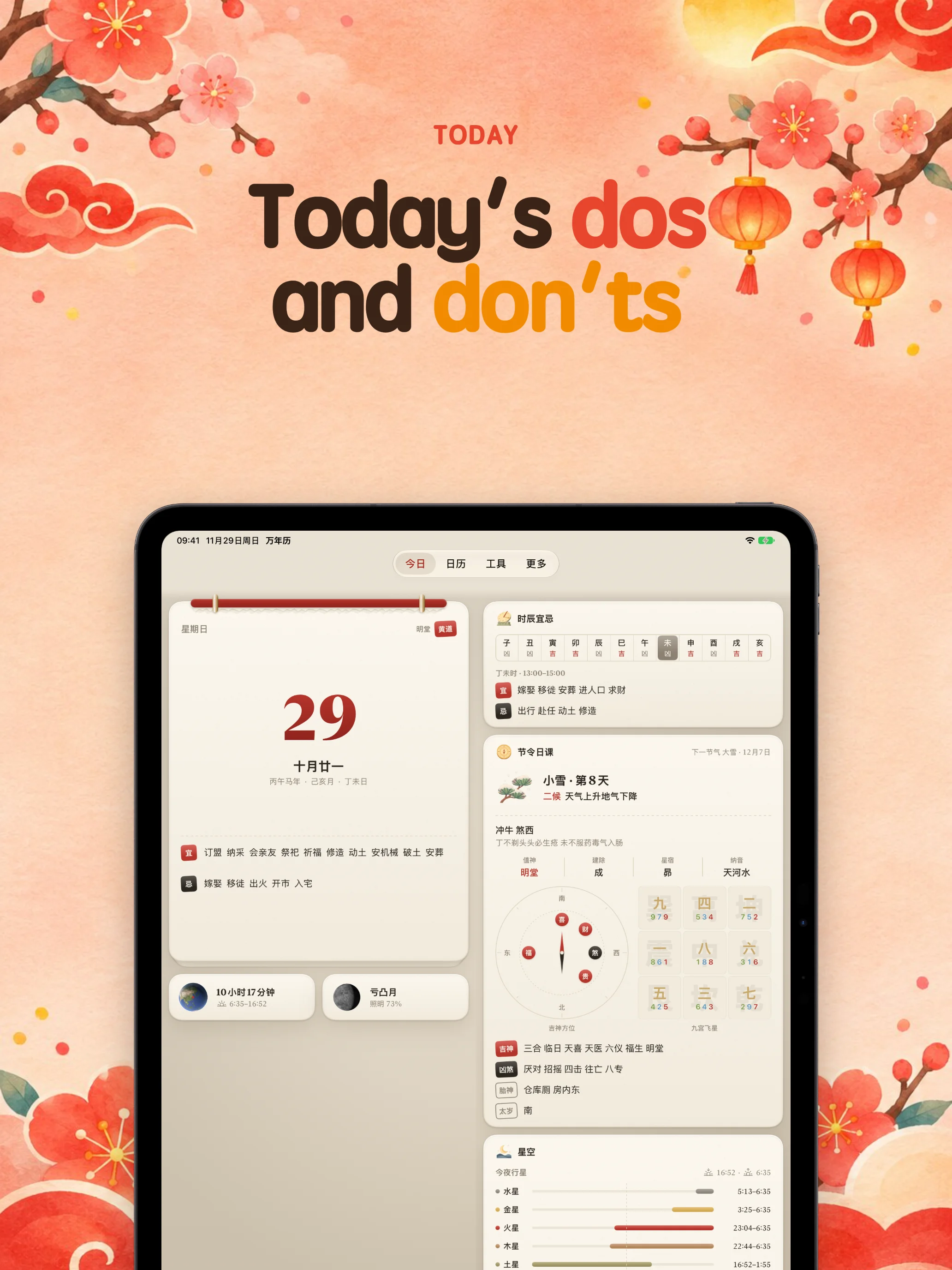
Today’s lunar date, what the day favors or forbids, how many days until the next solar term, which of the twelve traditional hours you are in, what the moon looks like tonight. Chinese Almanac gathers all of it into a tear-off desk calendar: rice-paper pages, vermilion seals and a torn edge for every day. Open it to today, then keep going to a lunar month view, the sun, moon and planets, and a few light-hearted divination tools.
The calendar, Bazi charts and divination results are all computed on your device. No connection is needed.
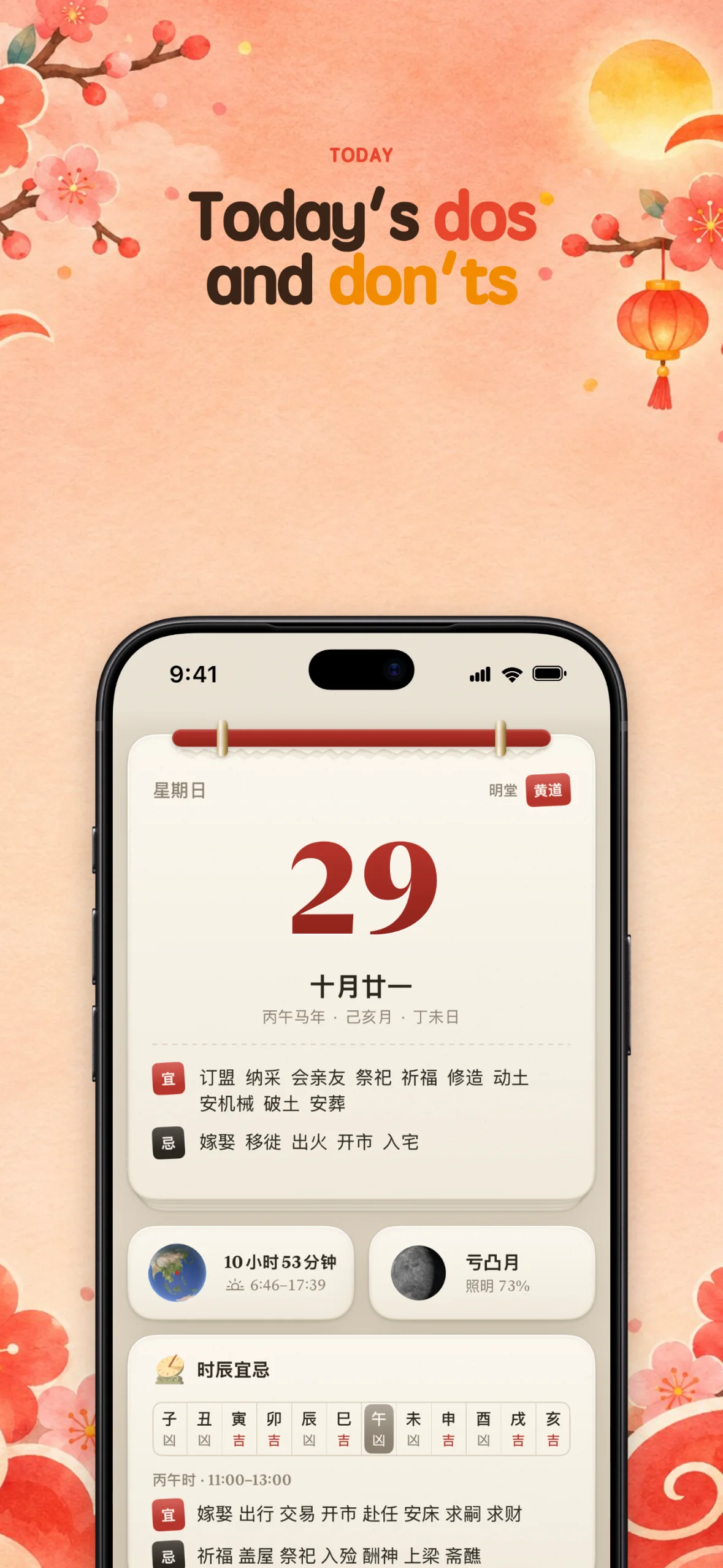
Today: flip the page, see the day at a glance
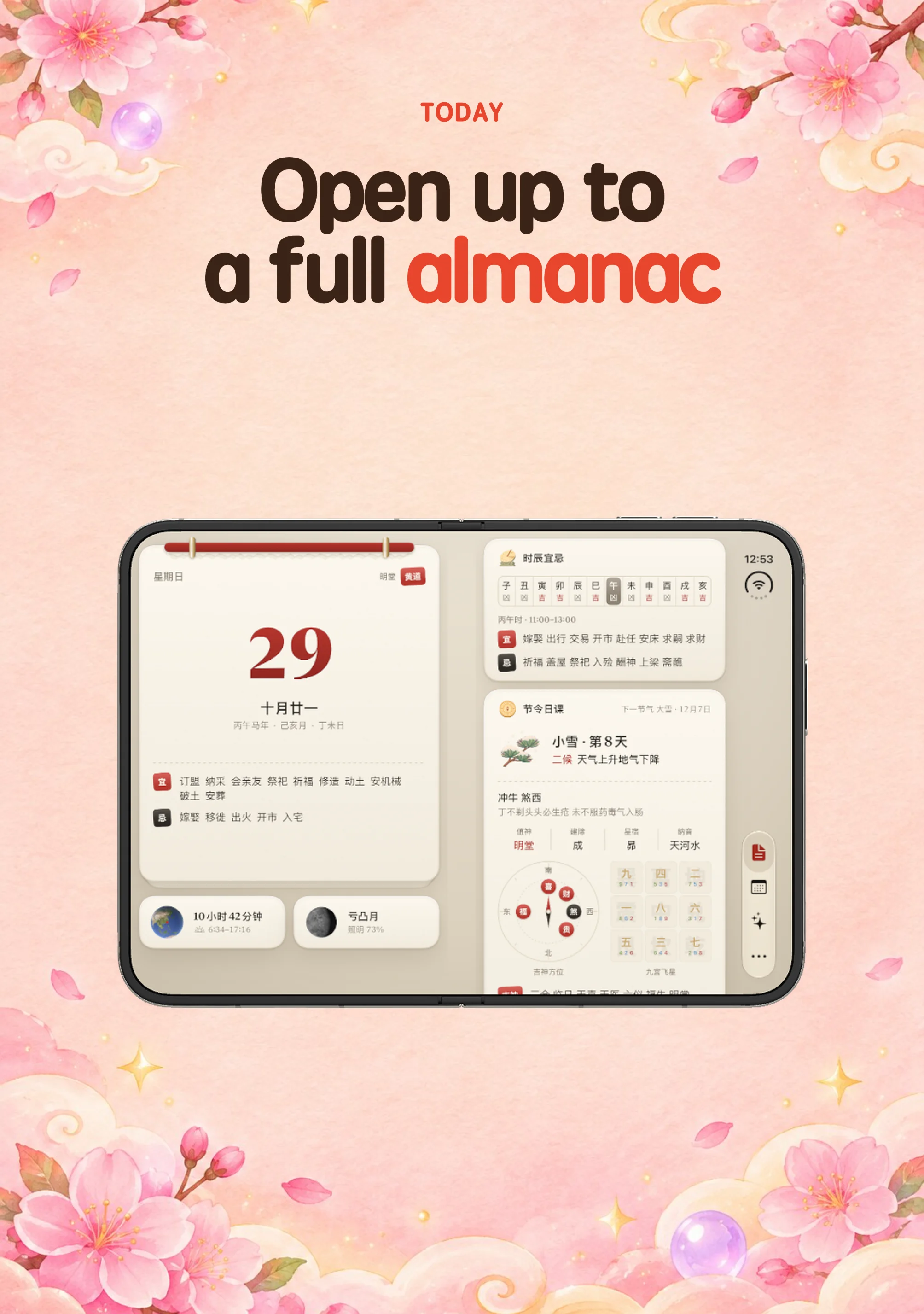
One page per day: the Gregorian date, the lunar date, the sexagenary cycle and zodiac, with the day’s dos in vermilion and clashes and taboos listed below. Swipe up to tear off a page and move to tomorrow, or swipe sideways to browse nearby days. After a few days away, the calendar tears forward from where you left off until it reaches today.
Below the calendar come the fortunes of the twelve traditional two-hour periods (with the current one marked), the day’s almanac details (solar terms and pentads, the dog days and the nine cold days, a compass of auspicious directions, the Flying Stars chart, good and bad spirits), the planets visible tonight, and the eclipses, planet events and meteor showers coming up this year.
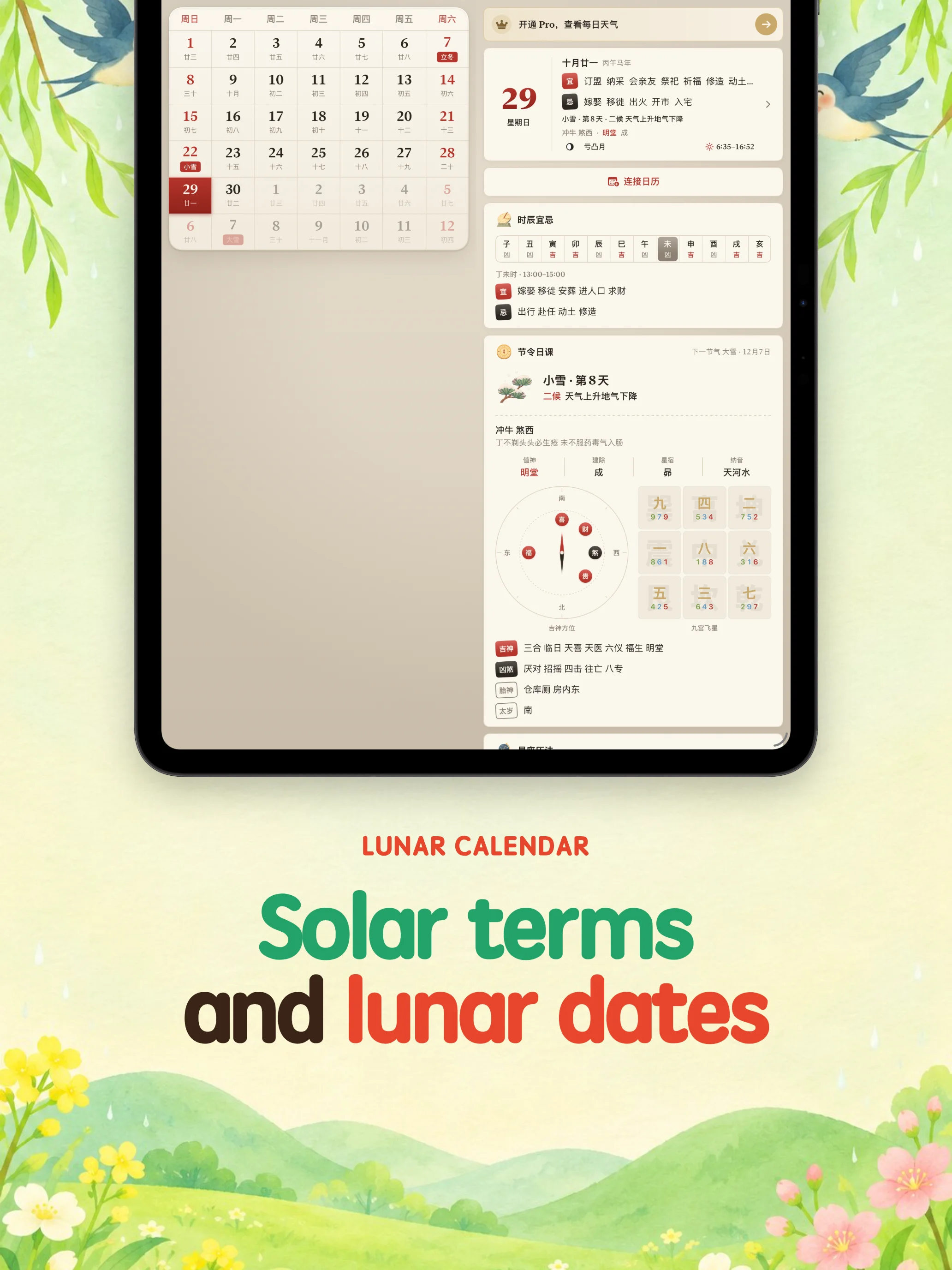
Calendar: solar terms and lunar dates, a month at a time
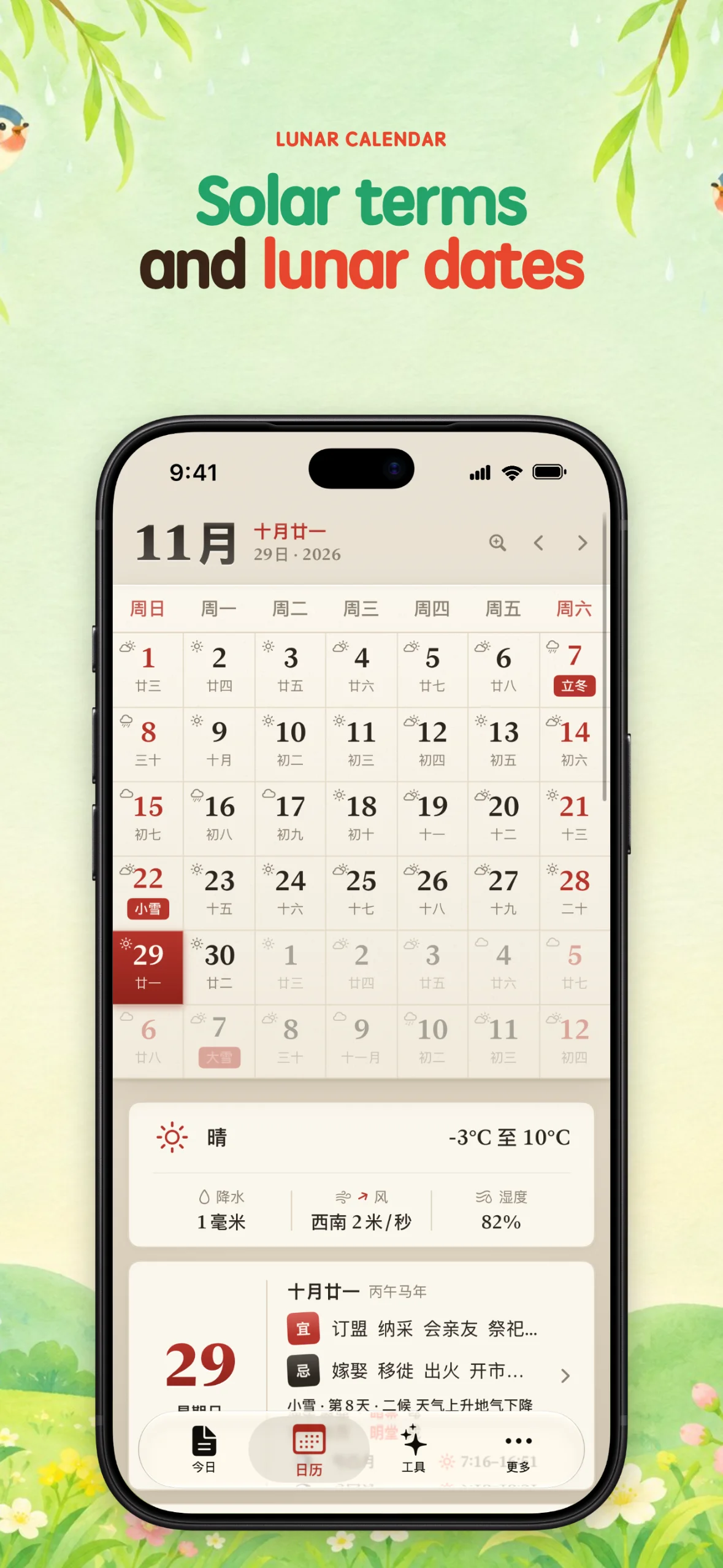
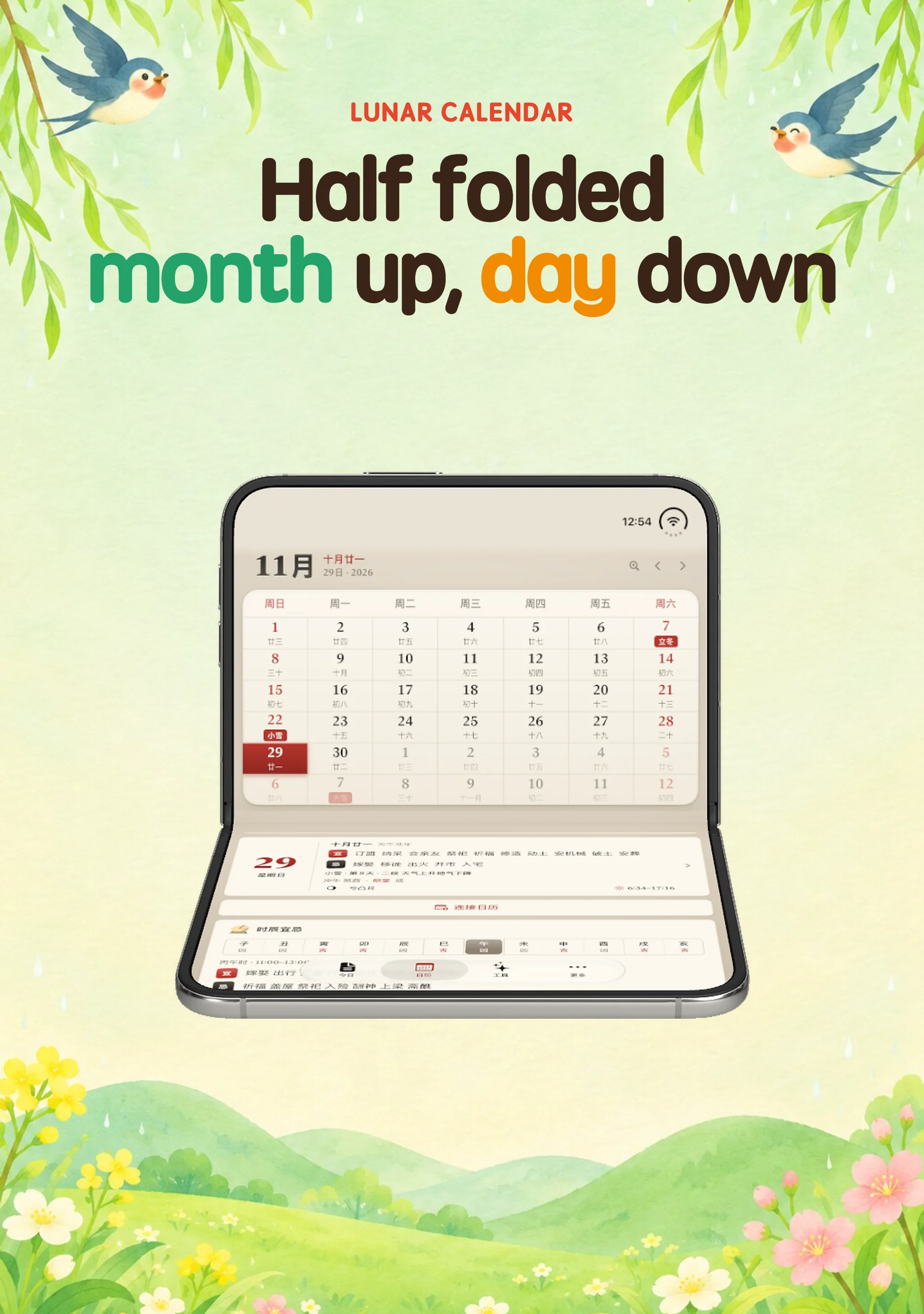
A full-width month grid where every cell shows the lunar date, solar terms, holidays and adjusted workdays. Swipe to change months; as you scroll down, the grid collapses to a single week to make room for the selected day: a summary, your events, hour-by-hour dos and don’ts, the day’s almanac details, zodiac signs and world calendars, and a month overview.
Picking a date is easier with Find Auspicious Days: choose an activity, a date range and whether to show weekends only, and every matching day is listed. Tap one to jump to it.
Sun, moon and sky: plan your day by the sun
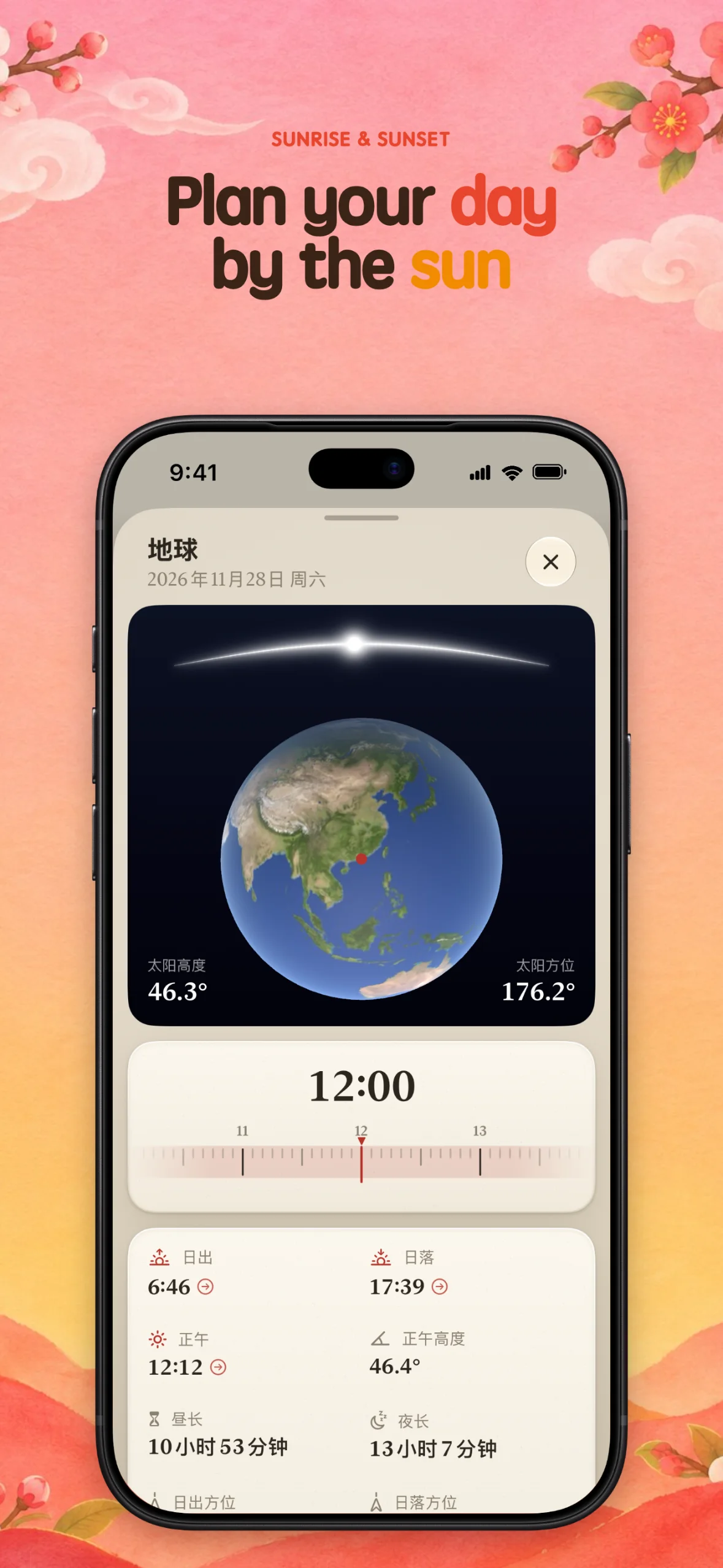
With location access, sunrise, sunset, moonrise, moonset and the sun’s height are computed for where you are. Without it, Beijing is used as the observing point.
- Earth: drag the time of day to watch day and night move across the globe, and check sunrise, sunset, noon height, day length and the day-length curve for the whole year.
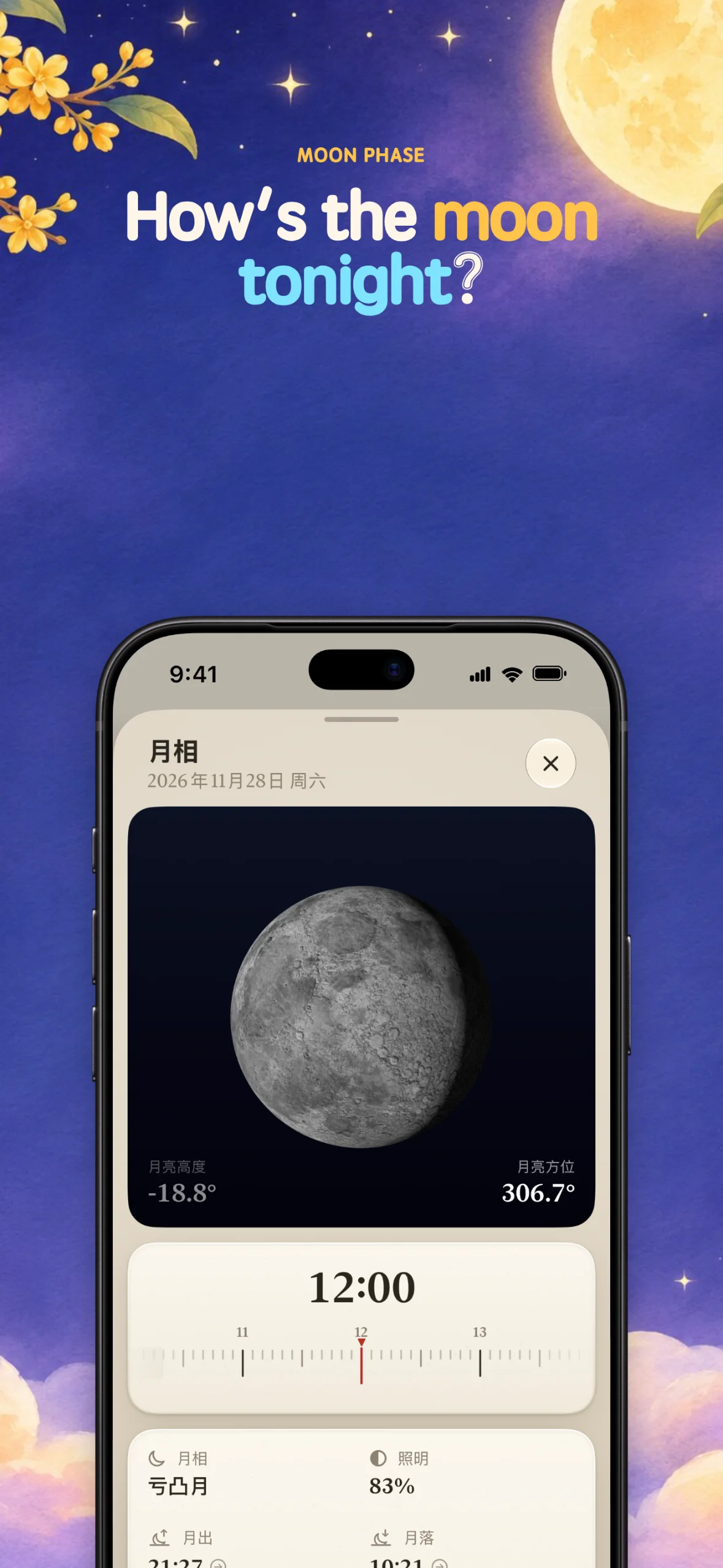
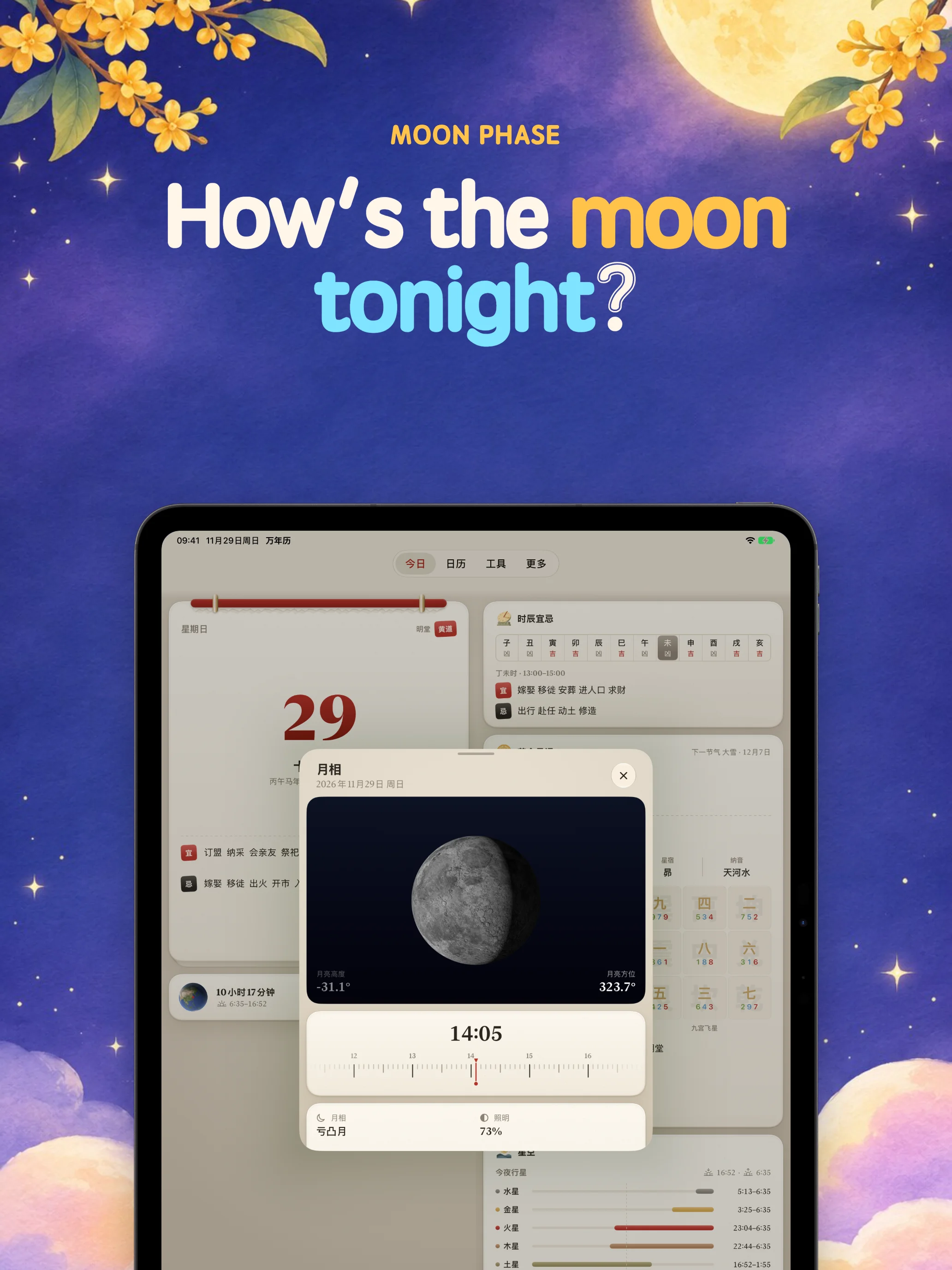
- Moon: a Moon you can rotate, with the phase name, illumination, moonrise and moonset and the changes across a whole synodic month.
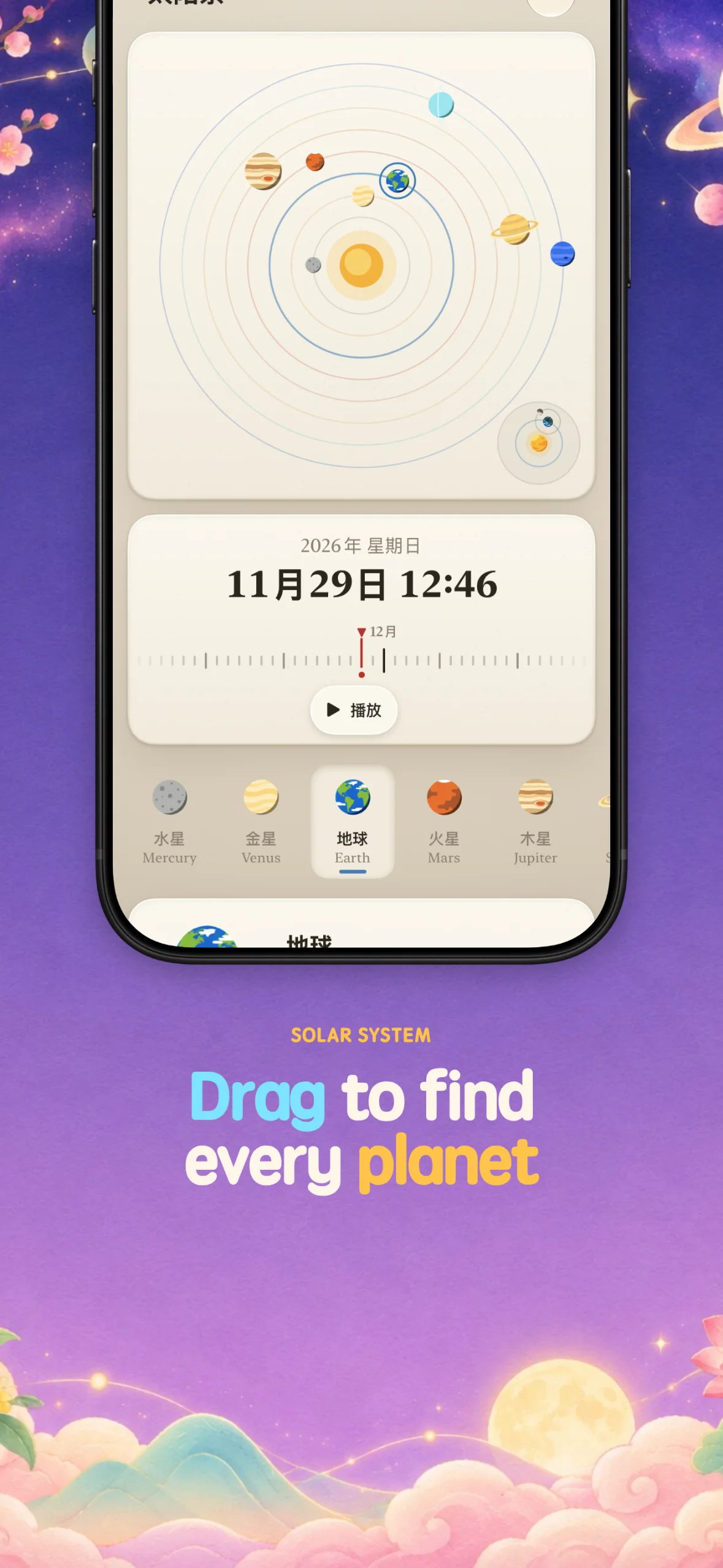
- Solar system: an orbit chart of the eight planets. Drag or play through a year to see where each planet is, and where it appears in the sky from Earth.
Fortune: your lucky color and Bazi chart
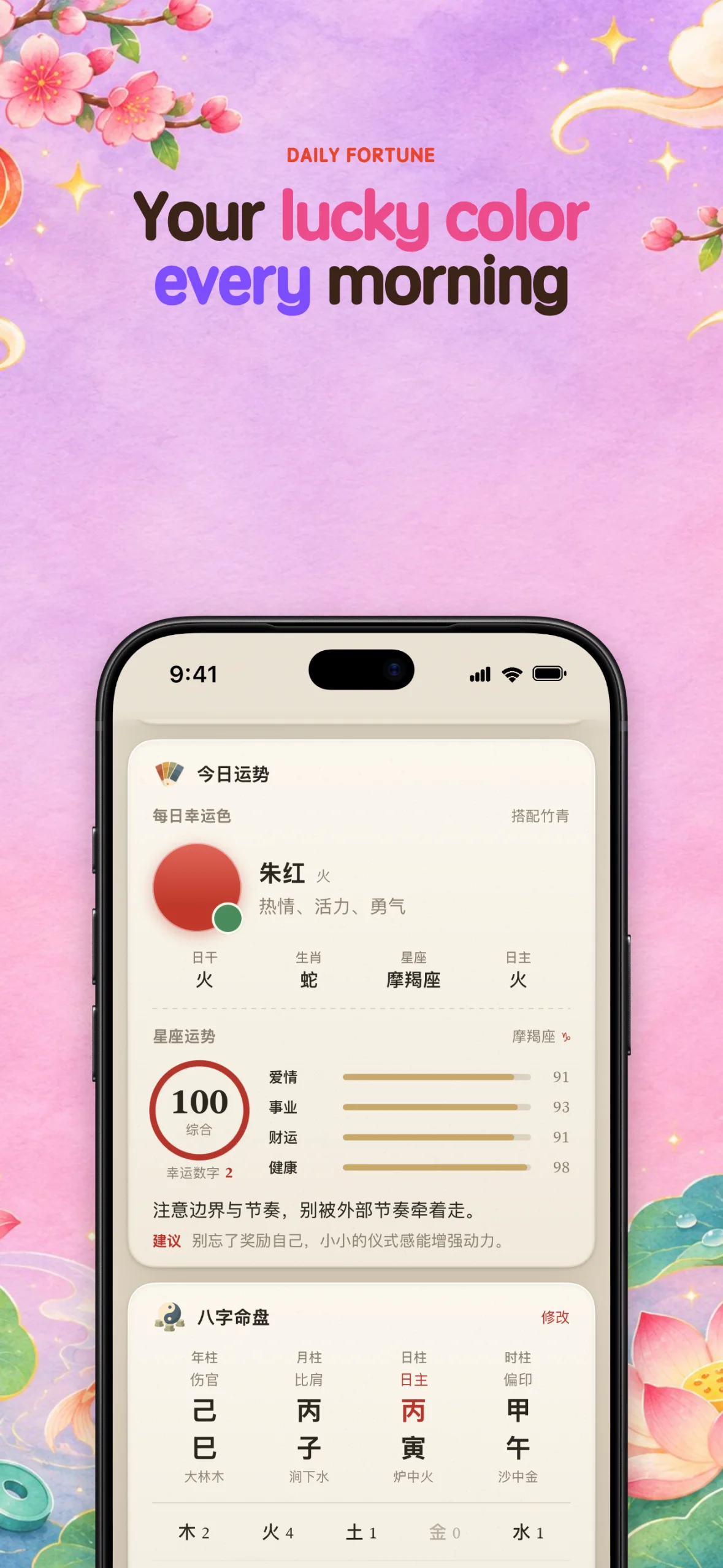
Enter your birth date and time to get your Bazi chart (four pillars, ten gods, Nayin, elements and luck cycles), plus a daily overall score, love, career, wealth and health ratings and a lucky color for the day. Your birth details never leave your device.
Tools: tarot, fortune sticks, dreams and horoscopes
Draw one of 100 fortune sticks, pull a single tarot card or a three-card spread, look up dream symbols by keyword, and check the horoscope for any of the twelve signs. The daily stick and the daily tarot card are seeded by the date, so they stay the same all day.
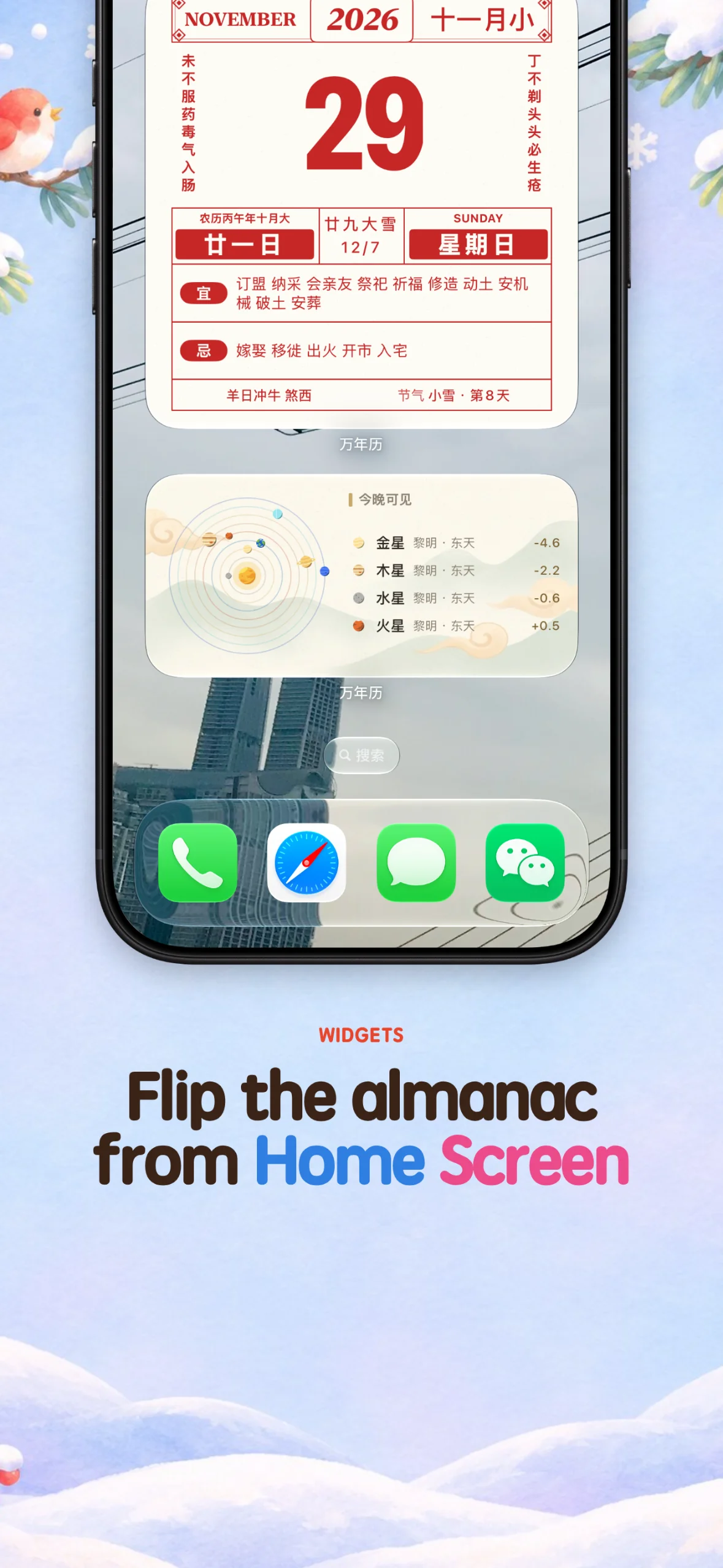
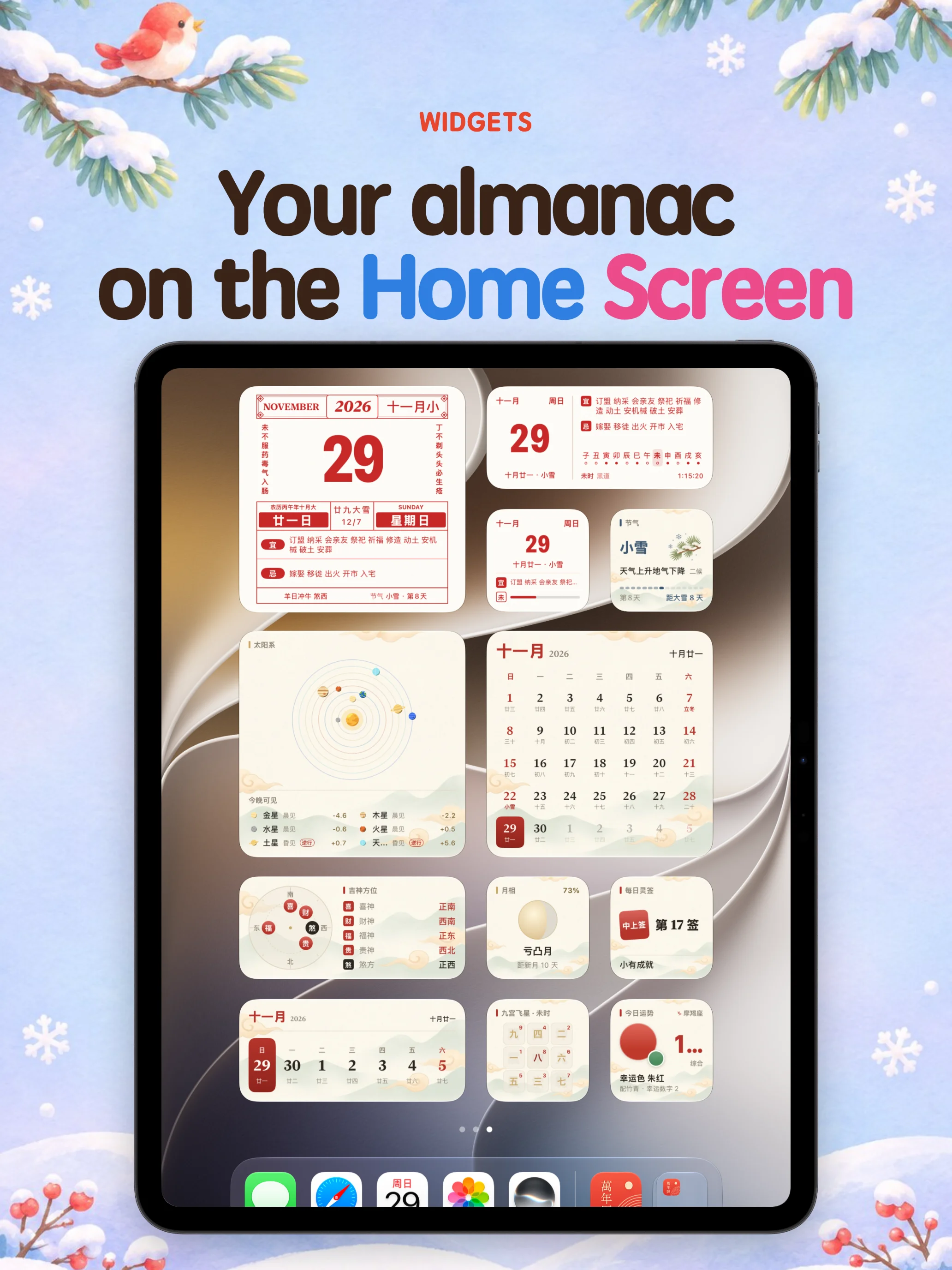
Widgets and Live Activities
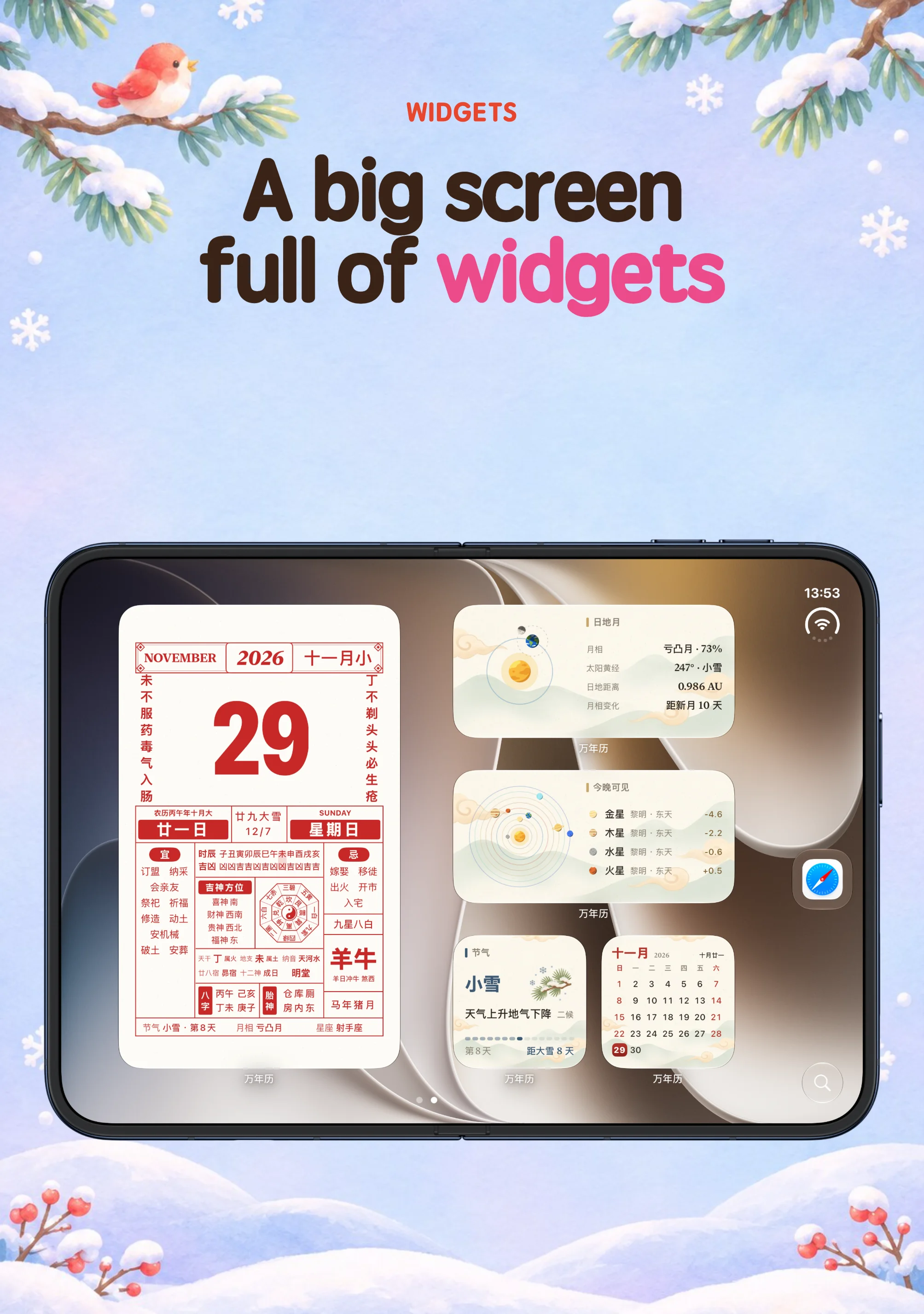
Put the almanac, month calendar, solar terms, Flying Stars, auspicious directions, moon phase, daily fortune, daily stick, daily tarot, solar system or sun-earth-moon on your Home Screen, with inline, rectangular and circular Lock Screen widgets. The Hours Live Activity shows the current two-hour period, its dos and don’ts and a countdown on the Lock Screen and in the Dynamic Island, moving through all twelve on its own.
Big screens and foldables
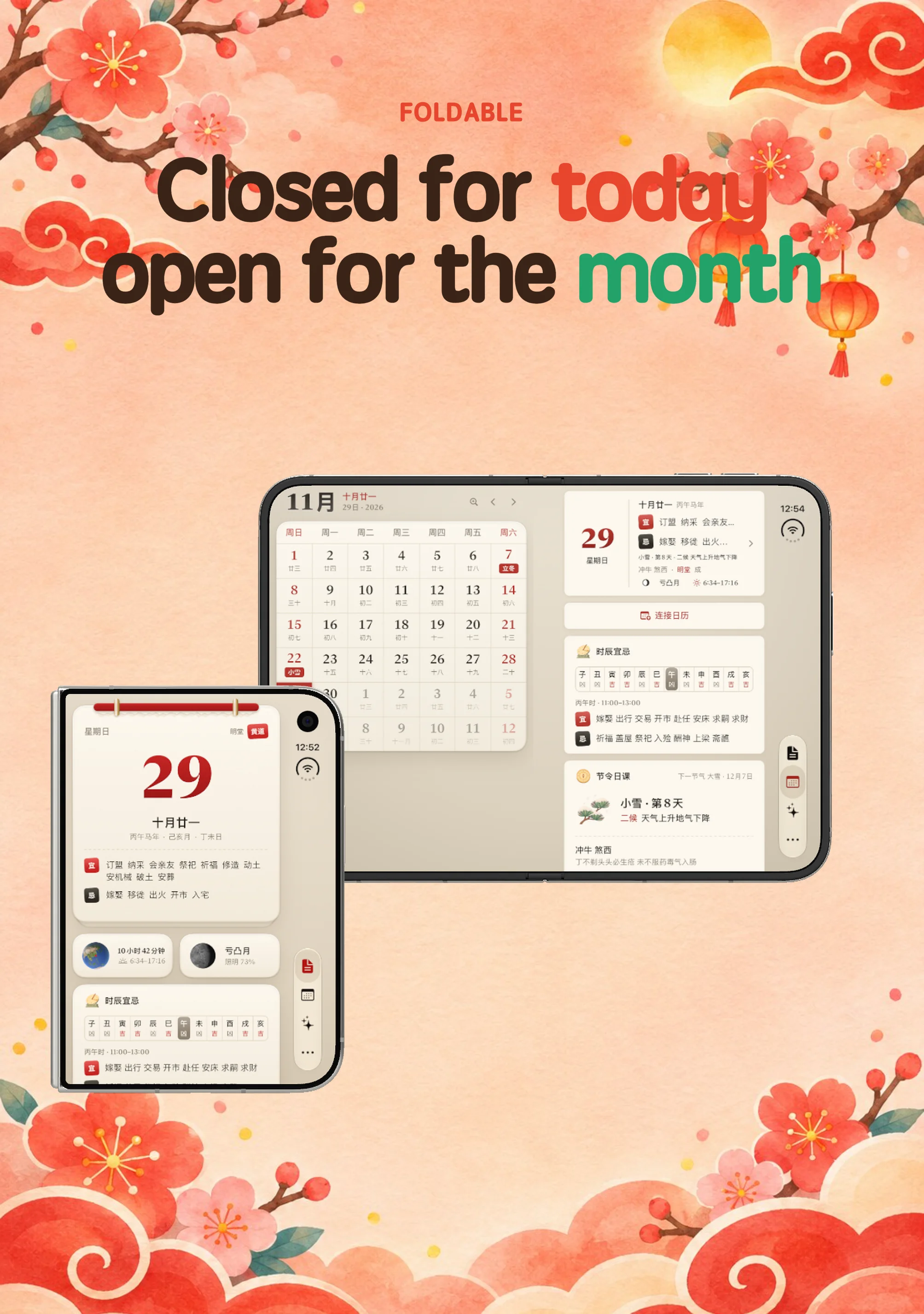
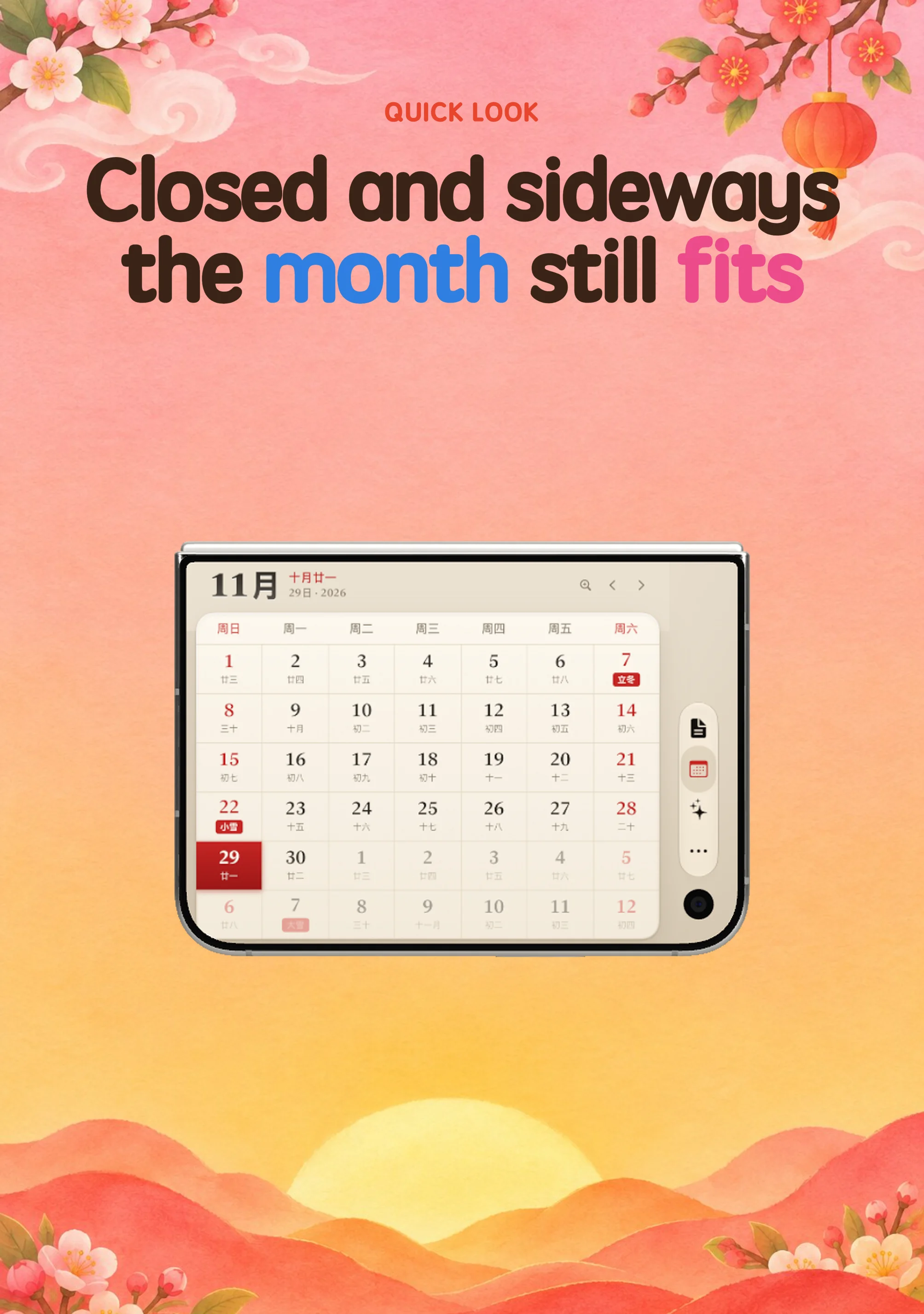
On iPad, the desk calendar and the cards sit side by side in two columns, so flipping pages and browsing never get in each other’s way. On iPhone Duo, check today on the cover screen and open it up to a full page; fold it halfway and the month sits above with the day’s dos and don’ts below; close it and turn it sideways and the whole month still fits.
With Pro, the month grid also shows the weather for every day, and a selected day shows the temperature range, precipitation, wind and humidity.
Start by opening today
- Wondering whether today suits something? Open Today: dos, don’ts and hourly fortunes at a glance.
- Picking a date? Use Find Auspicious Days to filter by activity and weekends.
- Planning a trip or a shoot? Check sunrise, sunset, the moon phase and tonight’s planets.
- A small daily ritual: draw a stick, pull a tarot card, see your lucky color.
- Keep the almanac on your Home Screen: add the almanac or month widget, and follow the hours on the Lock Screen.
Available for iPhone and iPad. Calendar weather, Home and Lock Screen widgets, the Hours Live Activity and alternate app icons require Pro; see the current in-app offer. Screenshots show the Pro state for weather and widgets, with the app interface in Simplified Chinese; the app itself follows your system language (English, Simplified Chinese and Traditional Chinese). Almanac, fortune and divination content is derived from traditional calendars and fixed rules, and is for reference only.
View on the App Store · Privacy Policy · Terms of Service
Support
Contact hocgin@gmail.com with questions or feedback. Please leave out unrelated birth details or calendar events.

Chinese Almanac Privacy Policy
Updated: November 29, 2026
Effective: November 29, 2026
Chinese Almanac (万年历, the “app”) is provided by 洪承金 (Hong Chengjin) (“we”). This policy explains what information the app processes, why, who receives it and your choices. Contact: hocgin@gmail.com.
The almanac, lunar calendar, solar terms, traditional hours, Bazi charts, zodiac signs and divination results are all computed on your device. We do not collect your birth details, calendar events, divination inputs or location history. The app includes online weather, push, crash-diagnostic, feedback and purchase services; when you have Pro and view calendar weather, your device location is sent to Microsoft’s weather service. This policy does not replace system permission requests or constitute blanket consent for optional or sensitive processing.
1. Information processed on your device
- Birth details: the birth date, time and sex you enter, used to build your Bazi chart and derive the daily fortune and lucky color. No birth place is collected. The data is stored in the app sandbox and written to the system-provided shared container for widgets to read; it is never uploaded. You can change or delete it in the app at any time.
- Calendar events: only after you tap “Connect Calendar” and grant access, the app reads events from your system calendars (title, start and end time, all-day status and calendar color) and shows them on the matching dates in the Calendar tab. The app does not cache or upload them; declining access does not affect other features.
- Location: used to compute sunrise, sunset, moonrise, moonset, the sun’s height and the planets visible tonight for where you are. The app locates automatically only if you have already granted access; otherwise the system prompt appears only after you tap the banner. If access is denied or times out, Beijing is used as the observing point. The most recent coordinates are kept in the shared container for widgets.
- Compass heading: while the auspicious-directions compass is visible, the device heading is read to turn the needle. It is not saved or uploaded.
- Divination and dream inputs: tarot, fortune sticks and dream keyword searches all run locally. Your input is not saved or uploaded.
- Preferences and state: appearance and settings, Live Activity style and switch, the last day you viewed, purchase status and similar items, kept in the app sandbox or the shared container.
- Device identifier: a random identifier created on first launch and stored in the system Keychain (it may sync with iCloud Keychain), used to identify push subscriptions and crash records. It contains no name, phone number or account.
- Run logs: kept only in the shared container (50 MB limit) and never uploaded automatically.
2. Location and calendar weather
Calendar weather is a Pro feature. With Pro, when you open the Calendar tab the app requests day-by-day weather for the month from Microsoft’s MSN Weather service. The request contains your device’s latitude and longitude (the Beijing coordinates when location access is off), the date range and your language setting, and no other personal information. The weather returned is cached in the shared container for up to 7 days and can be cleared in Settings. Without Pro, no weather request is made. The service is provided by Microsoft and processed under its Privacy Statement.
3. Widgets and Live Activities
Home Screen and Lock Screen widgets read an almanac snapshot the app writes to the shared container (14 days of moon phases, fortunes, sticks, tarot and sky events, plus the observing point and birth details used to detect changes), render it on the device and make no network requests. The Hours Live Activity is likewise generated on the device and advances through the twelve traditional hours; it is not started by push.
4. Push and notifications
The app integrates the OneSignal push SDK and initializes it on every launch in order to send you notifications. If you have Pro, we sign in to OneSignal with the random device identifier and tag your Pro status so that notifications can be sent to members; the identifier is not linked to your name or account. Notification permission is requested when you first submit to the feedback board; turning off system notifications stops notification display.
5. Crash diagnostics and usage statistics
| Service | Purpose and information that may be processed | Official information |
|---|---|---|
| Firebase Crashlytics (Google) | Crash and error investigation; random device identifier, stack traces, language, network connection status, Pro status, device and app versions. | Firebase privacy and security |
| Firebase Analytics (Google) | Usage analysis. The SDK is linked and initialized with the app; the app logs no custom events of its own, but the SDK may automatically record usage data such as app launches and sessions, along with device and app information. | Firebase privacy and security |
| OneSignal | Push; push tokens, subscription identifiers, device model, OS and app versions, language, time zone, IP address, and, for Pro users, the device identifier and Pro status tag. | SDK data collection, Privacy Policy |
| Microsoft (MSN Weather) | Calendar weather; device latitude and longitude, date range and language. | Microsoft Privacy Statement |
| Apple (StoreKit, CloudKit, iTunes, iCloud Keychain) | Purchases, feedback-board storage, update checks, iCloud account status checks and Keychain sync; scope depends on your actions and system settings. | Apple Privacy Policy |
Advertising is not enabled in the current version, and the app does not read the advertising identifier. Turning off system notifications does not disable all OneSignal SDK processing; the app currently has no single switch that disables the crash-diagnostic and push SDKs. Contact us to object, withdraw consent or request deletion; we will explain available measures and assist.
6. Purchases
Apple processes in-app purchases and restoration. The app reads product information, transaction verification results and entitlement status to unlock Pro. We do not receive your payment card details or Apple Account password. Pro status is stored in the shared container and shared as a OneSignal tag and a custom field in crash records.
7. Feedback board
When you choose to submit feedback in the app, the title, body, feedback type, optional image attachments (up to 3), and the app version, OS version and device model are written to a public iCloud (CloudKit) database. Submitting requires being signed in to iCloud, and other users of the feedback board can view, comment and vote. The app requests notification permission on your first submission so that you can receive reply alerts. Please do not include unrelated birth details, calendar events or locations in feedback.
8. Update checks and more apps
While running, the app sends the app identifier and your region to Apple’s iTunes lookup service to check for a new version; the More Apps screen uses the same service to list the developer’s other apps. The requests contain no personal information.
9. Retention, security and cross-border processing
On-device data is kept in the app sandbox or the shared container under the iOS sandbox until you delete it or uninstall the app; uninstalling removes it. No system can be guaranteed absolutely secure.
Apple, Google, OneSignal and Microsoft are global services and may process information outside your country or region; locations and retention periods follow their configuration, policies and applicable law, and we do not promise that all information stays within any single country. Where cross-border procedures or separate consent are legally required, they are completed before such processing.
10. Sharing
We do not sell your personal information. Information is provided to recipients only where necessary for the services described, where you actively choose it (such as enabling weather or submitting feedback), to fulfill legal obligations or in other lawful circumstances; third-party processing is governed by their policies. In the event of a business transfer, we will inform you as required by law and require the recipient to continue protection obligations.
11. Your choices and rights
- Turn location, calendar and notification permissions on or off in system settings; edit or delete birth details, clear the weather cache and turn off Live Activities in the app.
- Manage subscriptions and purchases through your Apple Account; uninstalling does not cancel a subscription.
- To access, copy, correct or delete personal information, withdraw consent or file a complaint, contact hocgin@gmail.com. We verify the minimum necessary identity and usually respond within 15 business days; extensions or infeasibility will be explained.
12. Minors, updates and this website
Minors should use and purchase under guardian guidance. Where the personal information of a minor under 14 is involved, guardian consent is obtained first as required by law.
This policy is updated with a new date when it changes; material changes to purposes, information types, recipients or rights will be surfaced appropriately and re-consented as legally required.
This policy describes the Chinese Almanac app. The Logspot website hosting this page may separately use statistics, comments or advertising services; see the website privacy notice.
13. Contact
Personal information handler: 洪承金 (Hong Chengjin)
Email: hocgin@gmail.com
Chinese Almanac Terms of Service
Updated: November 29, 2026
Effective: November 29, 2026
These terms govern your use of Chinese Almanac (万年历, the “app”) provided by 洪承金 (Hong Chengjin) (“we”). Read them before using the relevant features or purchasing. If you disagree, stop using the relevant services. Information and permission practices are described in the Privacy Policy.
1. The service
The app is a traditional Chinese calendar tool. It provides a daily almanac with dos and don’ts, a lunar month view and an auspicious-day finder, the 24 solar terms and 72 pentads, the fortunes of the twelve traditional hours, auspicious directions and the Flying Stars chart, Bazi charts, horoscopes, sun and moon positions and a solar system view, together with entertainment divination tools such as tarot, fortune sticks and dream interpretation, and support for Home Screen widgets, Lock Screen widgets and Live Activities. Availability depends on the OS version, device, permissions and purchase entitlements; see the current in-app description.
2. Almanac, fortune and divination content
Almanac entries, dos and don’ts, auspicious and inauspicious directions, horoscopes and divination results are generated automatically from traditional calendar rules and algorithms and fixed by date. They may differ between schools and regions and may contain errors. Fortune scores, the daily stick and the daily tarot card are derived from the date and are for entertainment.
This content is for reference and entertainment only. It is not medical, investment, legal or other professional advice, and it does not predict the future. Do not make major decisions based on the app alone; for matters involving health, property, safety or the law, consult a professional and use your own judgment.
3. System permissions and data
Location is used to compute local sun and moon rising and setting times and visible planets, and, with Pro, to fetch calendar weather. Calendar access is read-only and used only after you choose to connect, to show your events on the month grid. You can withdraw permissions in system settings at any time; the affected features then fall back to a default observing point or stop showing, and other features are unaffected.
Birth details, settings and divination inputs are stored on your device. See the Privacy Policy for details.
4. Pro, subscriptions and purchases
Basic features are free; calendar weather, Home and Lock Screen widgets, the Hours Live Activity, alternate app icons and similar features require Pro. Product types, prices, currencies, periods and offers are as explicitly displayed in the app and App Store at purchase. Prices and membership states in screenshots are illustrative. The app may offer auto-renewable subscriptions and a one-time lifetime purchase; see currently available products.
Apple processes payment through your Apple Account. Subscriptions renew under the terms displayed at purchase. To prevent renewal, cancel at least 24 hours before the current period ends. Manage subscriptions in Settings → Apple Account → Subscriptions. Access usually continues until the paid period ends, subject to Apple’s displayed status. Uninstalling, revoking permissions or deleting data does not cancel a subscription.
Where a free trial or promotion is offered, its duration, subsequent charges and conditions are disclosed at purchase. An uncanceled trial may become a paid subscription. Restoring purchases requires the original purchasing Apple Account and a valid transaction. One-time purchases do not renew on a subscription cycle; their scope follows the product description.
Request refunds through reportaproblem.apple.com under Apple’s applicable policies. These terms do not exclude statutory refund or consumer rights. See Apple’s cancellation instructions.
5. Rights and open-source components
Rights in the app’s code, design, icons and illustrations belong to us or the relevant owners. The birth details you enter, your calendar events and other usage data remain yours and stay on your device. Calendar data and divination corpora include components from open-source projects (such as tyme4swift and FateAtelier), used under their open-source licenses with copyright retained by their authors. Weather data comes from Microsoft (MSN Weather) and may be viewed within the app only; do not scrape or redistribute it.
Subject to applicable law, you receive a nonexclusive, nontransferable license for personal use. Do not distribute unlawful content, infringe others’ intellectual property, bypass payment or access controls, or interfere with the service. These restrictions do not prohibit conduct protected by applicable law.
6. Changes and responsibility
We reasonably maintain the app and may update, restrict or discontinue features for system changes, security, maintenance or product reasons. Material changes affecting paid entitlements will receive appropriate notice and be handled under applicable law, preserving rights that cannot be excluded.
Calendar weather, push, the feedback board and purchases rely on third-party services including Apple, Microsoft and OneSignal, which may fail, interrupt or become incompatible. We do not guarantee that content is fully accurate or that the service never stops. Responsibility is determined by applicable law, actual fault and causation. These terms do not exclude liability for intentional misconduct, gross negligence or other nonexcludable circumstances, or remove statutory consumer rights.
7. Minors and other terms
Minors should use services and paid features with guardian consent and guidance. Changes to these terms will update the date; material changes will receive appropriate notice and legally required consent. Invalidity of one provision does not affect the other provisions to the extent permitted by law.
Contact support first to seek a resolution. Unresolved disputes may be brought before a legally competent authority. Apple is not the provider under these terms; App Store distribution and purchases also follow applicable Apple terms.
8. Contact
Provider: 洪承金 (Hong Chengjin)
Email: hocgin@gmail.com